What is a low-code platform?
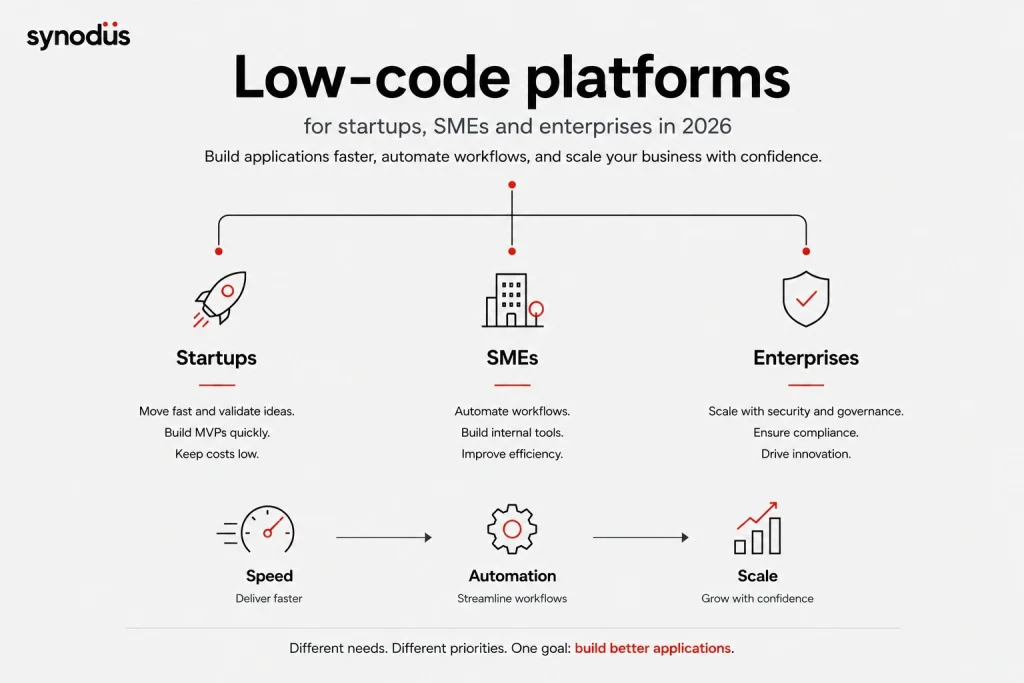
A low-code platform is a tool that uses the low-code development approach, with user-friendly features such as drag-and-drop elements, pre-built templates, plugins, and customizable code, to help users build applications. It works for professionals, citizen developers, and people with no coding experience alike.
Other common features of a low-code platform include:
- Integration with other systems.
- Analytics tools and data dashboards.
- Cloud development support.
- Real-time collaboration so multiple people can work on the same project.
- Version control and access control.
How we grouped these platforms, and why AI matters now
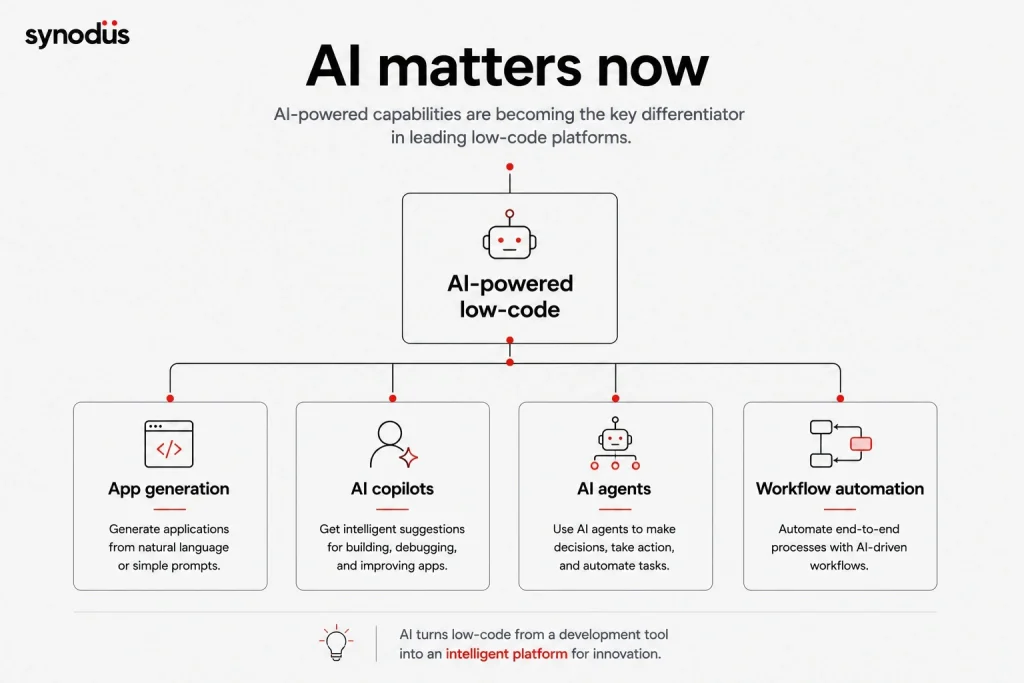
In 2026, the single biggest factor separating low-code platforms is AI. Gartner and Forrester both highlight AI-assisted development as a key differentiator among leading vendors, and platforms that bolt AI onto an old architecture tend to lag behind those built AI-first. Throughout this list we note each platform’s AI capabilities, from natural language app generation to built-in AI agents.
We have grouped the 25 platforms into three tiers based on the team they fit best:
- Startups want speed and low cost: fast MVPs, citizen development, and minimal upfront spend.
- SMEs want workflow automation and internal tools with moderate governance, at a predictable price.
- Enterprises need scale, security, deep integration, governance, and compliance, with AI agents increasingly part of the package.
If you are on a tight budget, also see our roundup of open-source low-code platforms, which can be a cost-effective starting point.
Best low-code platforms for startups
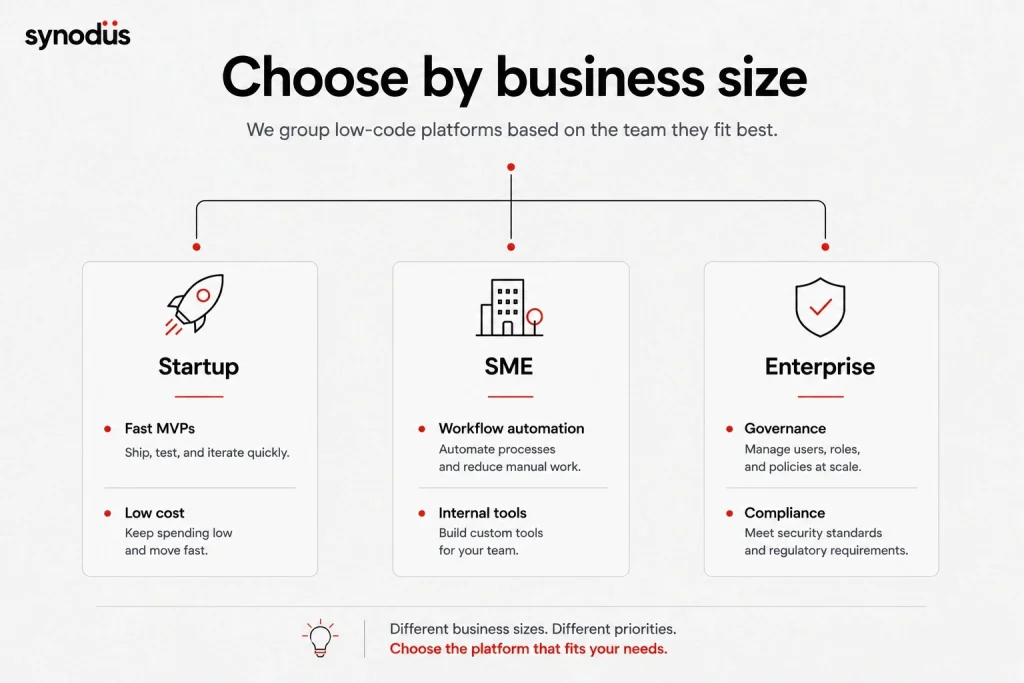
Startups need to ship an MVP fast, test ideas, and keep spending low. These platforms are quick to learn, affordable, and friendly to non-developers.
1. Airtable
Airtable blends a spreadsheet with a database so anyone can build apps and workflows from their data. Its building blocks let you model and customize without code, and it now layers in AI for summarizing and generating field content.
- Best for: lightweight apps, trackers, and CRMs built on familiar spreadsheet logic.
- Pros: very easy to use, multiple views (Kanban, Gantt, calendar, grid, gallery, form), integrates with Salesforce, Slack, Jira, and more.
- Pricing: free tier, paid plans roughly $10 to $20 per user per month, custom for business.
2. Zoho Creator
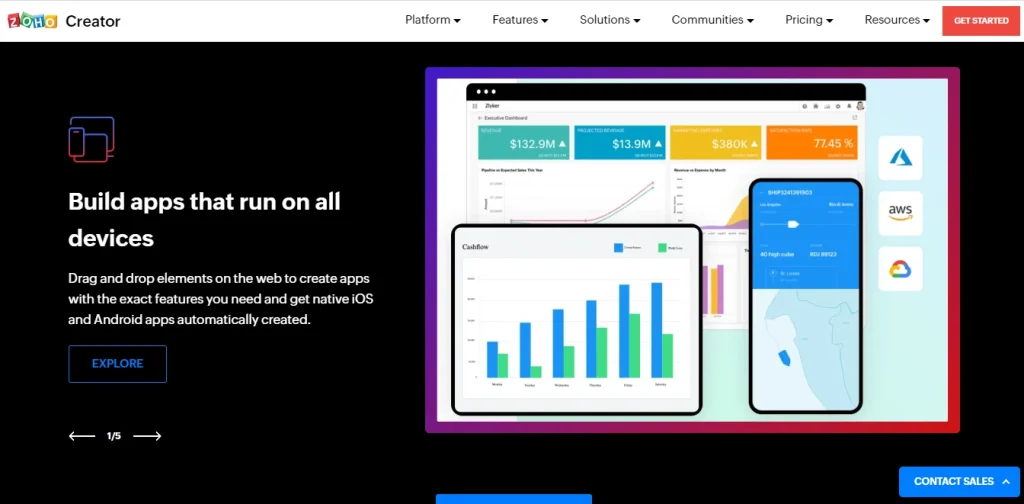
Zoho Creator helps businesses build applications with a focus on scalability, offering 550+ integrations, AI, and real-time analytics. It ships pre-built templates for industries like education, logistics, and property.
- Best for: startups and growing teams that want an affordable, all-in-one app builder.
- Pros: strong security, offline mode with sync, solid reporting dashboards.
- Cons: UI customization options are still limited compared to developer-first tools.
- Pricing: free tier, paid from around $12 to $37 per user per month, custom for enterprise.
3. UI Bakery
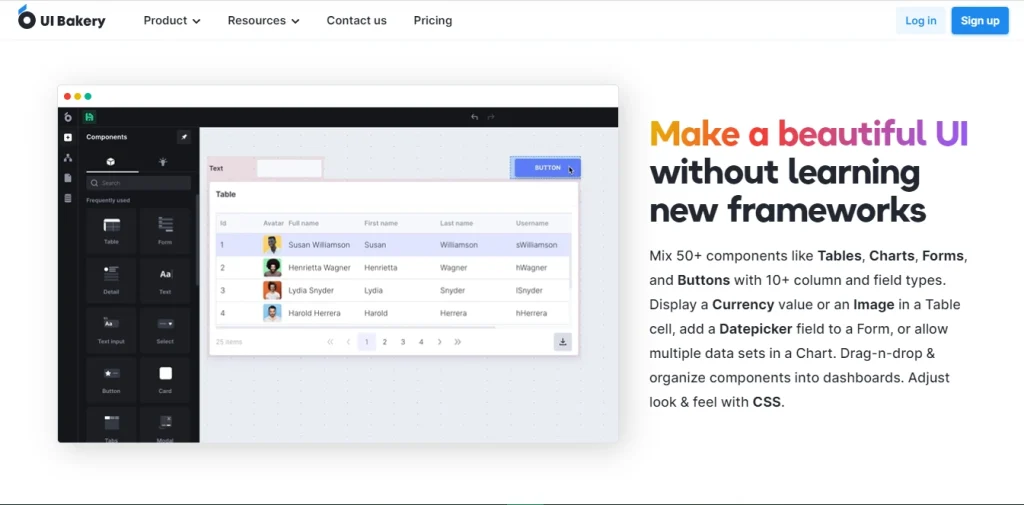
UI Bakery offers fair pricing for unlimited end users, so even the smallest teams can automate processes without an expensive in-house or outsourced dev team. It provides 50+ design components and supports custom JavaScript for more complex logic.
- Best for: small teams building internal tools on a budget.
- Pros: intuitive interface, responsive support, cloud or on-premises hosting.
- Cons: versioning and rollback are limited.
- Pricing: free tier, paid plans from around $49 to $249 per month.
4. TeleportHQ
TeleportHQ offers a visual interface, reusable components, and a Figma plugin for a smooth handoff from design to clean code. It can instantly generate open-source code for React, Vue, Next, Gatsby, Angular, and more.
- Best for: design-led startups turning prototypes into front-end code fast.
- Pricing: free tier available.
5. PHPRunner
PHPRunner builds database-driven web apps with little or no coding using a PHP framework. You can search, edit, delete, and export data across SQL, MySQL, Oracle, PostgreSQL, and Microsoft databases.
- Best for: quick database front-ends for technical founders.
- Pricing: one-time license, check vendor for current tiers.
6. Frappe Framework
Frappe is a free, open-source framework for rapidly building web apps, single-page apps, PWAs, and websites with Python and JavaScript. It powers ERPNext, a popular open-source ERP.
- Best for: technical startups that want full ownership with zero license cost.
- Pricing: free and open-source. ERPNext and managed hosting are paid.
For more in this space, explore our guides to low-code website builders and web app builders.
7. Claris FileMaker
Claris FileMaker builds custom apps with both cloud and on-premises deployment, accessible on Mac, Windows, iPad, iPhone, and Android. It offers 50+ components and lets you drop into JavaScript for complex logic.
- Best for: small teams that want a quick, self-contained data app.
- Pros: low learning curve for non-developers, separate test and production environments.
- Cons: importing and exporting to other relational databases takes effort, and concurrent team editing is limited.
- Pricing: roughly $21 to $43 per user per month.
Best low-code platforms for SMEs
Mid-sized businesses usually need workflow automation, internal tools, and integrations with existing systems, with enough governance to stay safe but without enterprise-level complexity or cost.
8. Retool
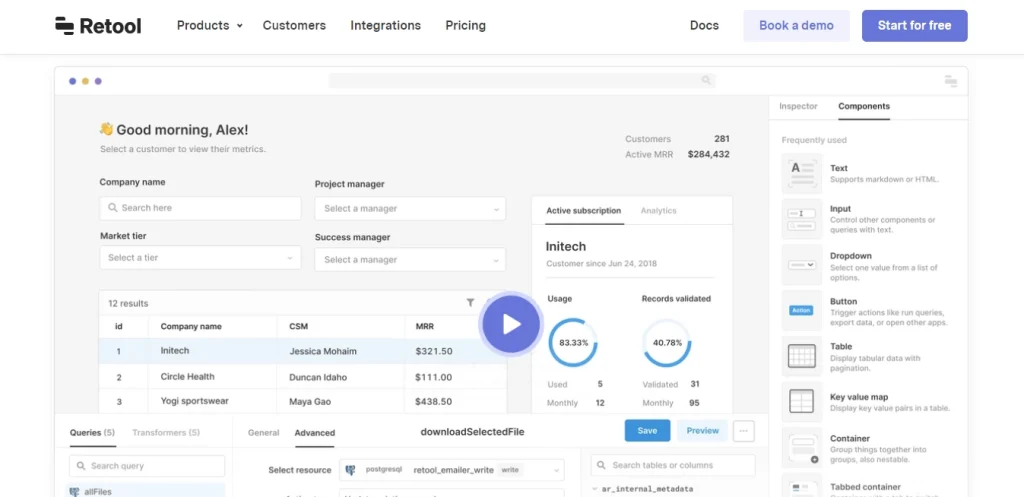
Retool is one of the best platforms for building internal tools, with 90+ drag-and-drop components so teams focus on assembling UIs rather than building them. It connects to almost any database or API via REST, GraphQL, or gRPC, integrates Git version control, and has added AI for generating queries and app logic.
- Best for: teams building internal tools quickly, used by Amazon, DoorDash, and Pinterest.
- Pros: transparent pricing, real-time code-free front-end design, on-premises hosting behind your VPN.
- Cons: front-end UI components could be more polished.
- Pricing: free tier, paid from around $10 to $50 per user per month, custom for enterprise.
9. Creatio
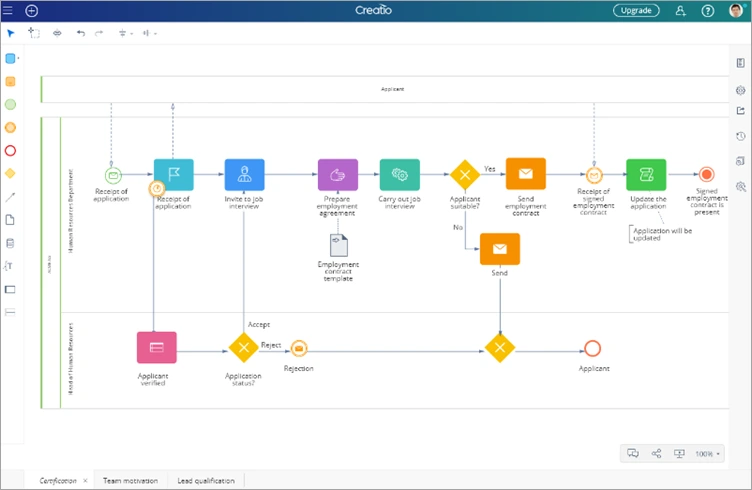
Studio Creatio is one of the easiest platforms for managing processes with pre-built solutions and reusable templates. Its strong BPM engine runs multiple procedures at once, and its analytics flag bottlenecks. AI, data analytics, and machine learning are built in to streamline operations.
- Best for: process automation and mobile app development.
- Pros: excellent visual modeling, highly customizable workflows.
- Cons: documentation could be clearer.
- Pricing: free tier, from around $25 per user per month for business.
10. Kissflow
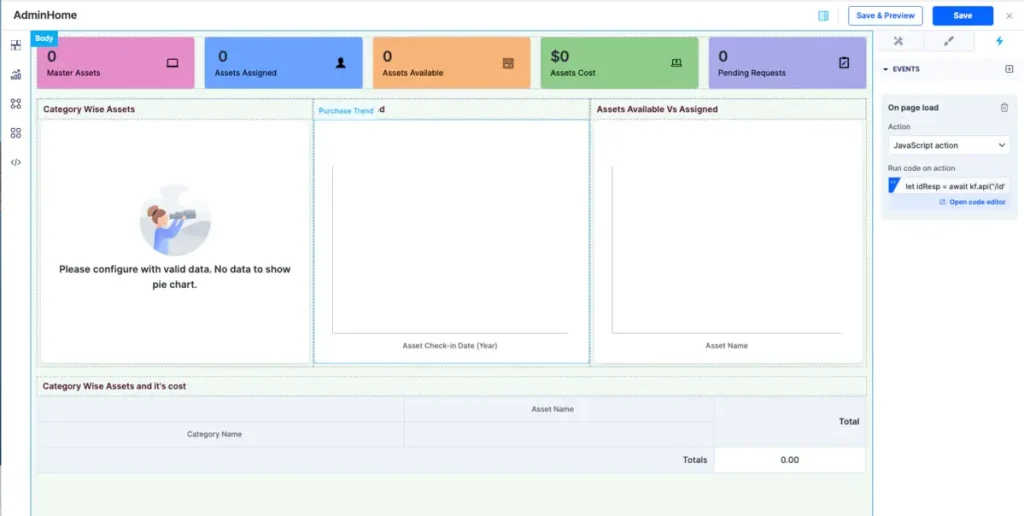
Kissflow is cloud-based business process and workflow management software with an intuitive, drag-and-drop interface. It includes pre-built widgets, role-based access, a developer sandbox, and integrations with ERP and CRM systems. You can learn how it fits process needs in our guide to low-code ERP.
- Best for: SMEs automating approvals and departmental workflows.
- Pros: easy cloud access from any device, clear task and approval views.
- Cons: notifications can occasionally fail.
- Pricing: from around $15 per user per month, custom for enterprise.
11. QuickBase
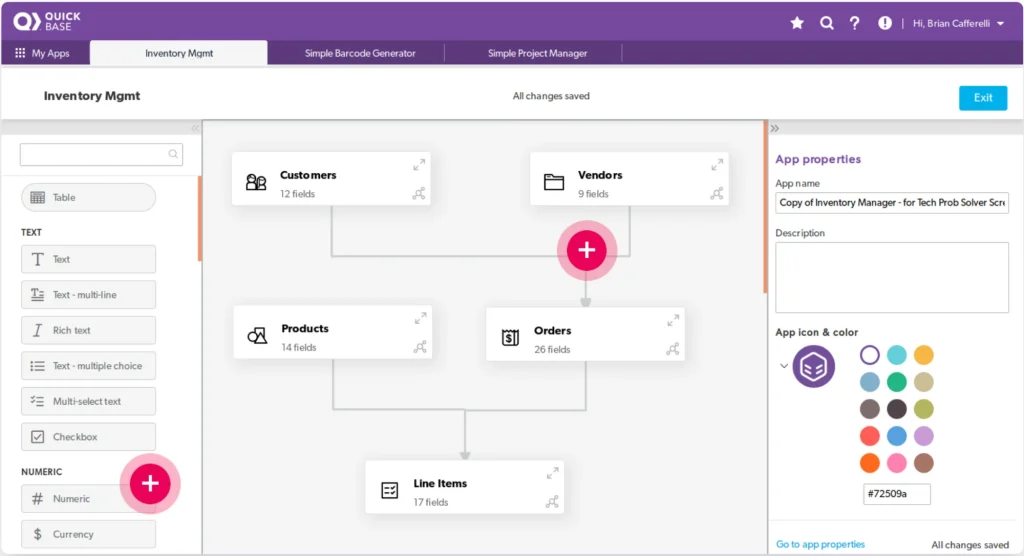
Quickbase streamlines and simplifies business processes, helping teams remove fragmentation and silos. It handles work orders, finance and budget, resources, and contract management, with strong reporting and data linking across databases.
- Best for: operational agility across messy, multi-system processes.
- Pros: good data cleaning and report generation, easy to link records.
- Cons: steep learning curve, and the dashboard feels dated.
- Pricing: from around $35 per user per month, custom for enterprise.
12. TrackVia
TrackVia is a favorite for turning paper-based and spreadsheet-based procedures into web and mobile apps, with centralized, real-time visibility. It offers visual modeling, drag-and-drop building, and a central component library for reuse.
- Best for: field and operations teams digitizing manual processes.
- Pros: clean UI, mobile-first dashboards, strong support, cost-effective for SMEs.
- Cons: not ideal for enterprise scale, and default layouts can be rigid.
- Pricing: from around $499 to $2,499 per month.
13. Vinyl
Vinyl focuses on data integration, letting citizen developers work alongside professionals to build apps fast. You can run it on-premises, in the cloud, or as a web service.
- Best for: data-heavy app building that needs broad system connectivity.
- Pros: connects to any data source, with user analytics, performance tracing, and ETL built in.
- Pricing: contact vendor.
For more on this use case, see our roundup of low-code data integration tools.
14. Integrate.io
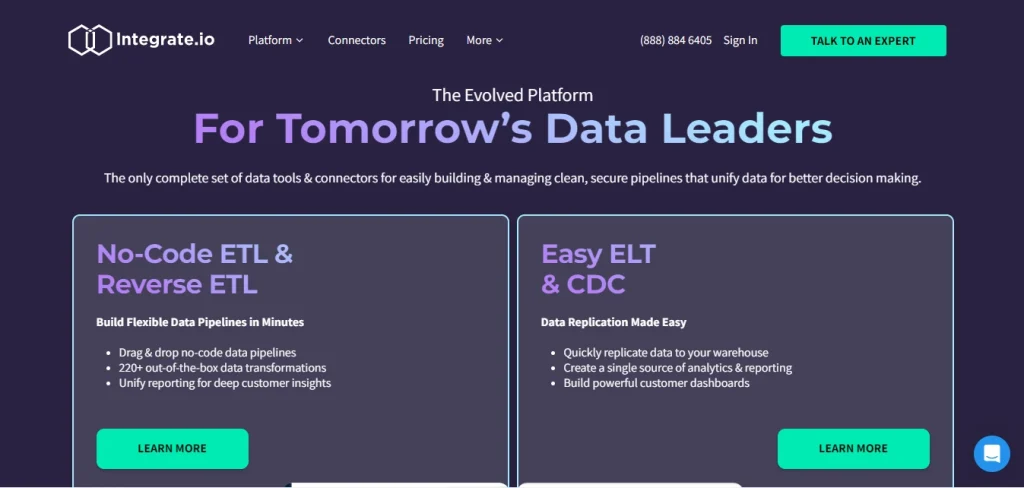
Integrate.io lets businesses process and prepare data analytics, data warehousing, and ETL integration in the cloud, with low-code ETL and reverse ETL so teams skip manual data prep.
- Best for: data teams that need pipelines without new hardware or headcount.
- Pros: simple drag-and-drop interface, strong customer support, easy integrations.
- Cons: debugging can be hard when error reports lack detail.
- Pricing: pay per function, from around $199 per month, free tier available.
Worth a read alongside this: our guides to low-code databases and low-code ETL.
15. m-Power
m-Power is an all-in-one platform for BI and reporting, process automation, and mobility. Its four-step build method needs no code for most apps but supports low-code or full-code for complex ones, with no extra fees for usage, users, or data beyond the license.
- Best for: SMEs that want reporting and automation without vendor lock-in.
- Pros: open libraries, closes the skills gap by turning existing staff into app builders.
- Cons: weaker for native Android and iOS deployment.
- Pricing: per-database licensing, contact vendor.
16. Visual LANSA
Visual LANSA helps teams build corporate applications faster with a robust IDE that needs little to no coding for desktop, web, and mobile, while allowing in-IDE coding for control.
- Best for: SMEs with some technical staff building cross-platform business apps.
- Pros: supports both existing and new applications, handles the plumbing for you.
- Cons: limited online documentation, and the debugger needs familiarity with the language.
- Pricing: contact vendor.
Best low-code platforms for enterprise
Enterprises need scale, security, deep integration with legacy systems, governance, and compliance. The strongest enterprise platforms now also ship AI agents and AI-assisted development as standard.
17. Microsoft Power Apps
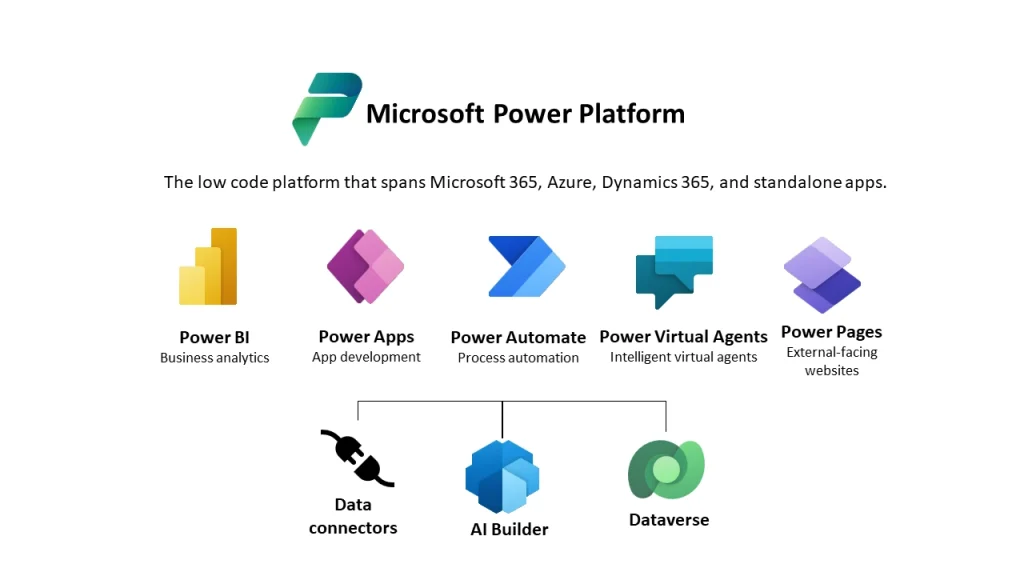
Microsoft’s Power Apps speeds up development with fewer resources and is best suited to enterprise and professional-grade applications. It integrates across Office 365, Azure, and Dataverse, and its Copilot Studio lets you build AI agents with generative AI, which makes it one of the most complete AI-first enterprise options.
- Best for: organizations already in the Microsoft ecosystem, used by Coca-Cola and Toyota.
- Pros: deep data integration, runs on iOS, Android, and Windows, suits both citizen developers and pros.
- Cons: setup can be confusing at first, and licensing takes planning.
- Pricing: the older $5 per-app plan was retired in January 2026. The 2026 paths are Power Apps Premium at $20 per user per month or Pay-As-You-Go at $10 per active user per app per month, with Copilot Studio for AI agents priced separately.
This is the platform Synodus specializes in. For Bamboo Airways, we built a task management system for 2,000 employees on Power Apps, Power Automate, and Power BI in 10 weeks with a team of 4, lifting task completion rates by 25% and cutting manual tasks by 30% within 3 months.
18. OutSystems
OutSystems builds high-performance applications with AI-driven visual development, aimed at application modernization, process automation, and customer experience. It ranked #1 on G2’s 2026 best development software list.
- Best for: professional dev teams shipping full-stack apps at enterprise scale.
- Pros: strong database connectors, top-notch error handling, cloud-native and scalable.
- Cons: web service support and database integration could improve.
- Pricing: free for individuals, custom pricing for businesses.
Read more on this use case in our guide to low-code automation.
19. Mendix
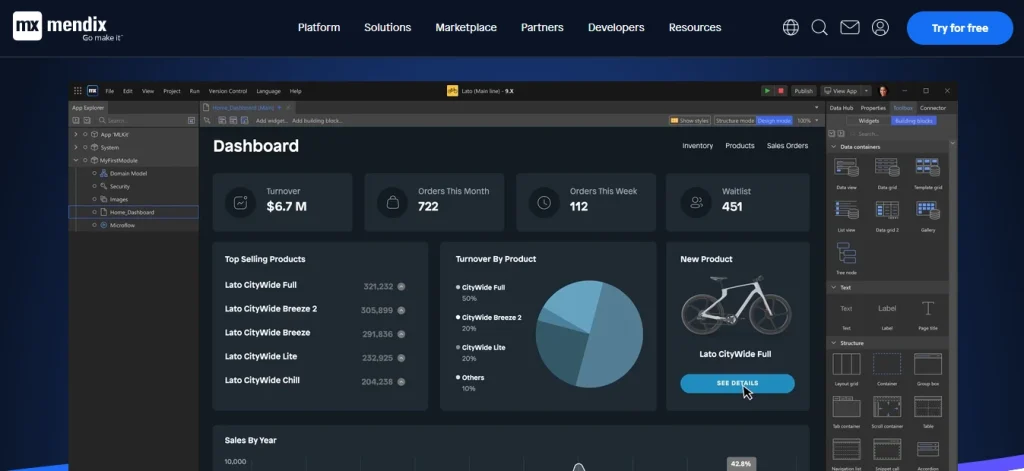
Mendix prioritizes teamwork across the whole app lifecycle, with Git version control, a JavaScript front-end, and a Kanban project interface. It supports enterprise app development, digital transformation, legacy modernization, and workflow automation, with AI assistance built in.
- Best for: large teams collaborating on complex apps.
- Pros: fast development, a gentler learning curve than many rivals, cross-platform with PWA support.
- Cons: mobile tooling is still maturing, and it can be pricey for mid-market.
- Pricing: free tier up to enterprise plans that can reach several hundred dollars per month.
20. Salesforce Platform
The Salesforce Platform builds and delivers scalable cloud apps with managed infrastructure, pre-built automation, and reusable components. Its Spring 2026 release added Agentforce Builder for creating AI agents with low-code tools and natural language setup.
- Best for: sales, service, and marketing teams already on Salesforce.
- Pros: granular access control, strong security with data masking, huge component marketplace.
- Cons: the UI and API integration could be smoother.
- Pricing: Platform Starter around $25 per user per month, Platform Plus around $100 per user per month.
21. ServiceNow
ServiceNow is an enterprise-grade platform that lets builders of varying skill levels create workflow apps quickly, with strong scalability and cloud readiness. It includes Flow Designer, UI Builder, a mobile app builder, and AI-assisted development.
- Best for: mission-critical workflow apps in large organizations.
- Pros: intuitive out-of-the-box configuration, broad module compatibility.
- Cons: specialist developers can be hard to find, and the portal differs from standard web development.
- Pricing: custom, contact vendor.
22. Appian
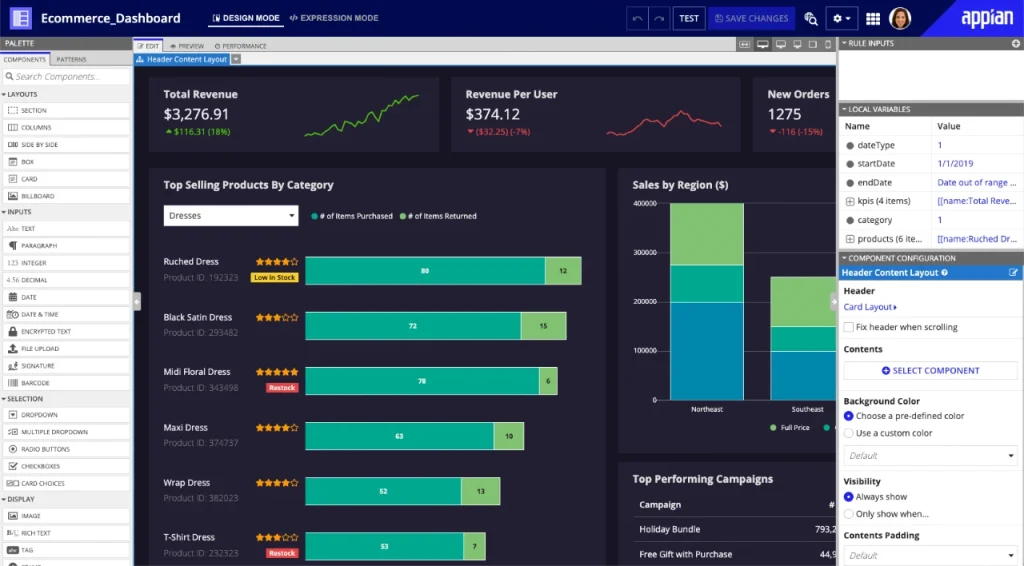
Appian uses full-stack automation and enterprise low-code to speed up building and deploying business apps, with built-in AI, process mining, data fabric, and no-code integration to AWS, Azure, and Google Cloud.
- Best for: complex process automation, risk, and compliance at scale.
- Pros: simple to operate, clean UI, quick to learn.
- Cons: timeline chart design still needs work.
- Pricing: custom, contact vendor.
23. Pega
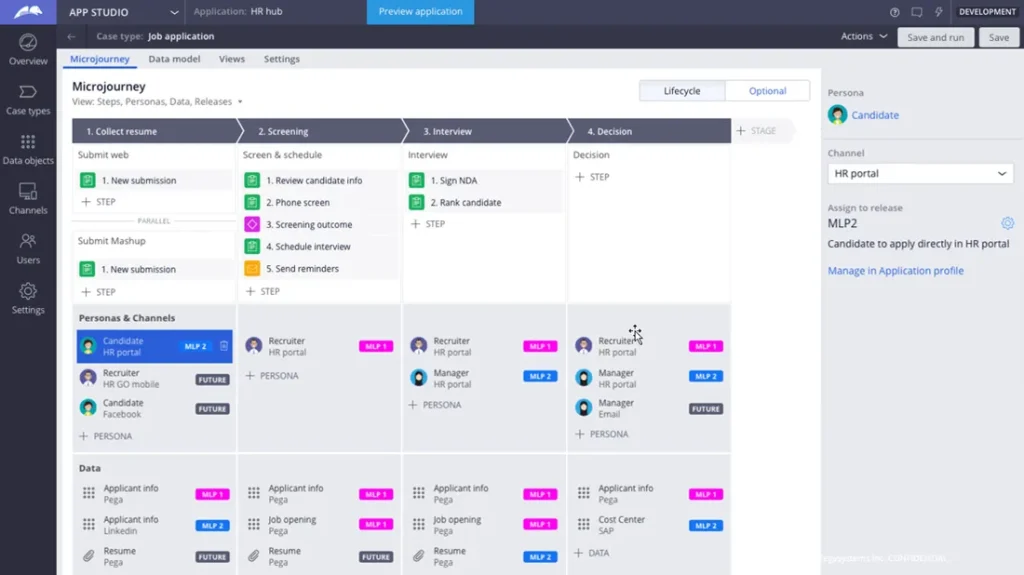
Pega builds enterprise-ready apps for CRM, robotic process automation, and case management, with AI-powered decisioning and a model-driven approach for expert developers.
- Best for: large-scale CRM, RPA, and case management.
- Pros: accessible to non-specialists, fast upgrades and bug fixes.
- Cons: updates can introduce issues, and reporting could be stronger.
- Pricing: custom, contact vendor.
24. GeneXus
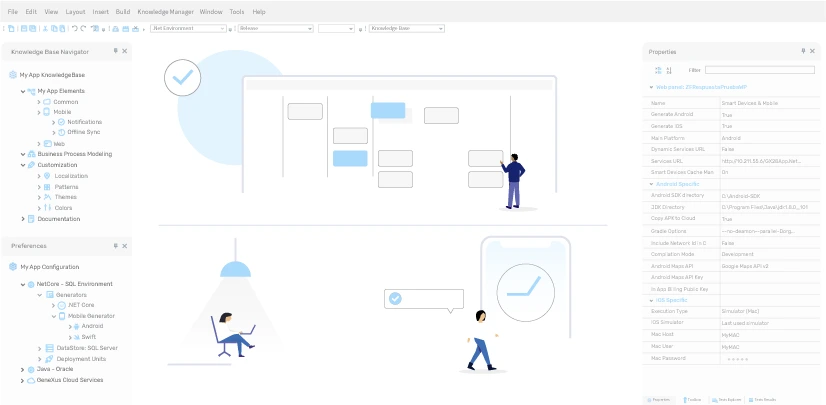
GeneXus is an enterprise low-code platform that uses AI to automate and maintain applications across systems and devices, with unified BPM modeling and on-premises, cloud, or hybrid deployment.
- Best for: multi-channel enterprise apps that need flexibility and scale.
- Pros: no runtime fees, priced per developer seat, broad tech-stack compatibility.
- Cons: complex builds take longer, and some deployment issues are hard to diagnose.
- Pricing: contact vendor.
25. Oracle APEX
Oracle APEX is a web-based generator for rapidly building database-driven, enterprise-grade apps, both cloud and on-premises, publishable to end users through a URL. Any APEX project can be turned into a PWA with a single switch.
- Best for: data-heavy enterprise apps on the Oracle stack.
- Pros: easy to learn, strong real-time collaboration with version control.
- Cons: no built-in report printing, and complex work still needs web development skills.
- Pricing: free with Oracle Database, check vendor for cloud costs.
For another regulated-industry example, our pharmaceutical ERP project on Dynamics 365 supported 80% year-on-year growth, the kind of compliance-heavy build where enterprise low-code earns its keep.
Quick comparison of leading platforms
Pricing is approximate and changes often, so confirm on each vendor’s site.
| Platform | Best fit | Use case | Approx. price |
|---|---|---|---|
| Airtable | Startup | Spreadsheet-based apps and trackers | Free, $10 to $20/user/mo |
| Zoho Creator | Startup | Affordable all-in-one app builder | Free, ~$12 to $37/user/mo |
| Retool | SME | Internal tools and dashboards | Free, $10 to $50/user/mo |
| Creatio | SME | Process automation, mobile apps | Free, from ~$25/user/mo |
| Kissflow | SME | Workflow and approval automation | From ~$15/user/mo |
| Microsoft Power Apps | Enterprise | Microsoft-ecosystem enterprise apps | Premium $20/user/mo or PAYG $10 |
| OutSystems | Enterprise | High-performance full-stack apps | Free individual, custom business |
| Mendix | Enterprise | Team-based complex apps | Free tier to enterprise plans |
| Salesforce Platform | Enterprise | CRM-centric apps with AI agents | ~$25 to $100/user/mo |
When should you use a low-code platform?
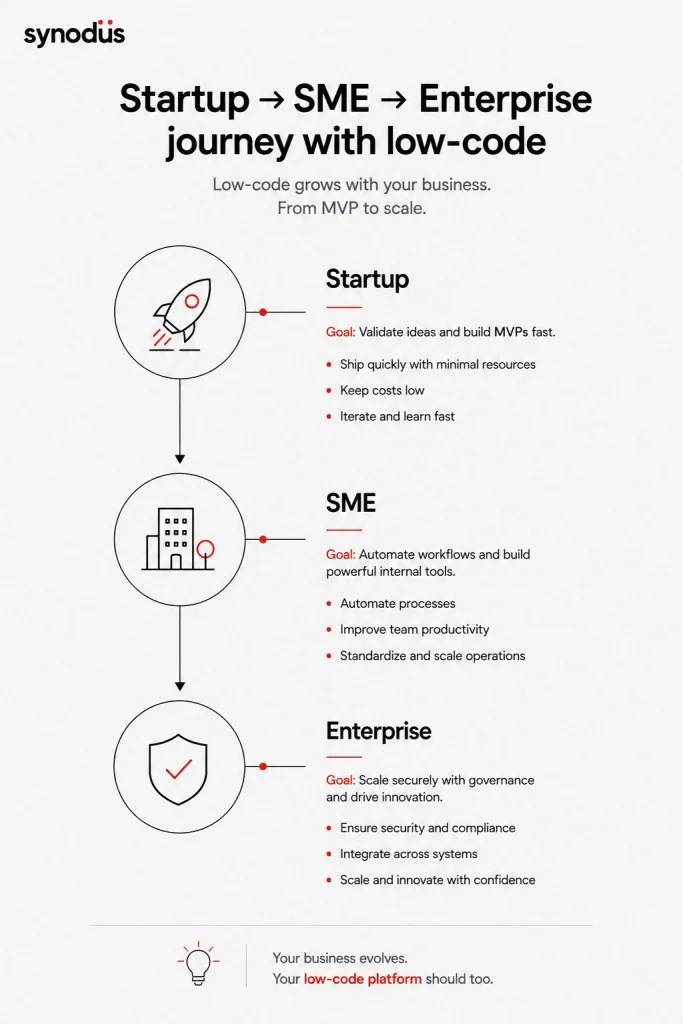
Low-code is often called the future of development, but it should support IT teams and empower citizen developers rather than replace traditional coding. It has real limitations, including flexibility for complex apps and vendor lock-in. Consider low-code when you want to:
- Improve IT efficiency: cut the backlog by reducing how much complex code your team has to write.
- Boost teamwork: bring developers, citizen developers, and non-technical users onto one project.
- Offset the talent shortage: a skills gap could cost businesses worldwide $8.5 trillion in revenue, and hiring a technical employee takes about 50% longer than other roles.
- Stay flexible: build a composable, modular operation that speeds time to market.
- Improve business intelligence: especially with platforms strong in data engineering and AI.
How to choose the best low-code platform
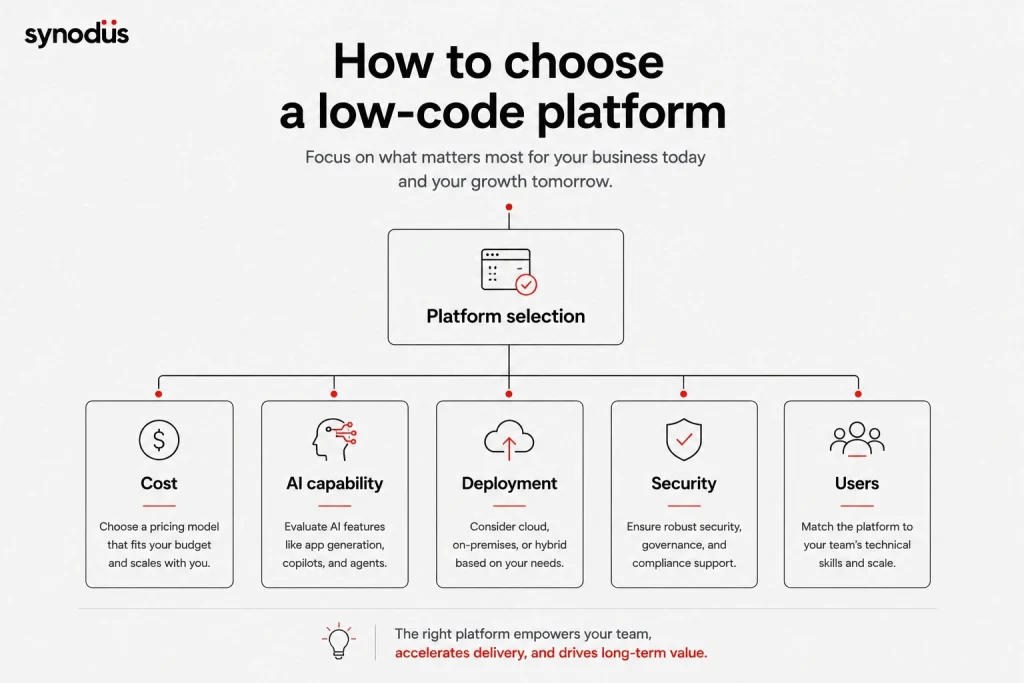
With so many options, picking the right one is hard. Weigh these criteria, keeping your tier (startup, SME, or enterprise) in mind.
- Total cost, not just sticker price: most platforms are subscription-based, and end-user pricing means costs rise as usage grows. Transparent pricing makes total cost of ownership easier to calculate, while custom-pricing enterprise platforms can cost several times more for similar capabilities. See our guide to estimating a low-code budget.
- Ease of getting started: check how much setup and integration your environment needs before you commit.
- Functionality and fit: match the platform’s strengths to your real needs around scalability, security, and uptime.
- AI capability: in 2026 this is a core criterion. Favor platforms with genuine AI-assisted development and, for many teams, built-in AI agents over those that simply bolt AI on.
- Deployment and data sovereignty: if you handle sensitive data, prioritize platforms that support your required deployment model, whether cloud, on-premises, hybrid, or self-hosted.
- Target user: decide whether you need a developer-first tool with deep code control or a business-user-friendly one built around drag-and-drop.
Frequently asked questions
Startups usually want speed and low cost. Airtable and Zoho Creator are strong, affordable all-rounders, while UI Bakery and Retool suit teams building internal tools. Open-source options like Frappe give full ownership with no license fee.
For enterprises, the leaders are Microsoft Power Apps (especially in the Microsoft ecosystem), OutSystems, Mendix, Salesforce, ServiceNow, and Appian. These offer the scale, security, governance, and AI agents that large organizations need.
Microsoft Power Apps and Salesforce are among the most widely adopted in the enterprise, while OutSystems ranked #1 on G2’s 2026 best development software list. The right choice depends on your ecosystem, budget, and use case rather than popularity alone.
For most businesses, yes, as long as you match the platform to your needs. Low-code typically pays back quickly through faster delivery and fewer developers, but model the cost at your expected scale, since per-user pricing grows with adoption.
In 2026, most do. Leading platforms now offer AI-assisted development and, increasingly, built-in AI agents, such as Power Apps with Copilot Studio and Salesforce Agentforce. AI capability has become a core selection criterion.
Wrapping up
Low-code platforms let technical and non-technical people build applications at a lower cost in an easy, collaborative environment. With so many choices, the key is to match the platform to your size and goals, weighing compatibility, features, users, pricing, AI capability, integration, security, and scalability.
If you would rather have experts build it for you, Synodus delivers custom low-code solutions that turn your data into apps 10x faster and cut development costs by half, from startup MVPs to enterprise ERP, for businesses across finance, healthcare, and aviation. Book a free consultation to find the right fit for your project.