The difference between closed-source and open-source low-code platforms
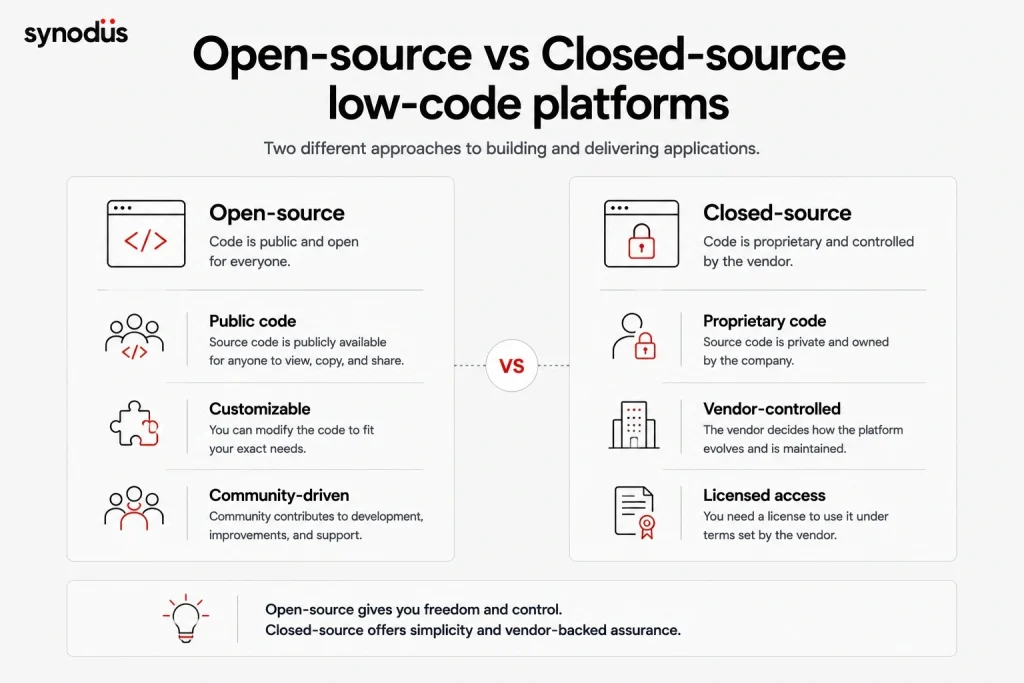
Some low-code platforms keep their source code private, controlled only by the company that created it. This is the closed-source model. The original creators hold the legal right to copy, inspect, and modify the code, while users must agree to a license, usually shown the first time the software runs, that limits what they can do. The source code is not public.
Open-source is the opposite. The source code is public and available for anyone to view, copy, learn from, alter, or share, and many projects let users contribute to development. One common misconception is worth clearing up: open-source does not always mean free. A platform can be open to the public and still charge a monthly or annual fee for full use.
As a rule of thumb, closed-source suits complex applications and businesses with heavy innovation demands, while open-source is a better fit for startups and teams on a tight budget.
Key takeaway
- With closed source low-code platform, the vendor has exclusive and private control over it. You will need a license to use the platform but can’t control or alter its core.
- With open-source low-code platform, its code is public for anyone to use, modify and upgrade.
- Closed source is better for enterprises, complex and high-security applications while Open-source is more cost-effective for startups and small teams.
Pros and cons of open-source low-code platforms
The advantages
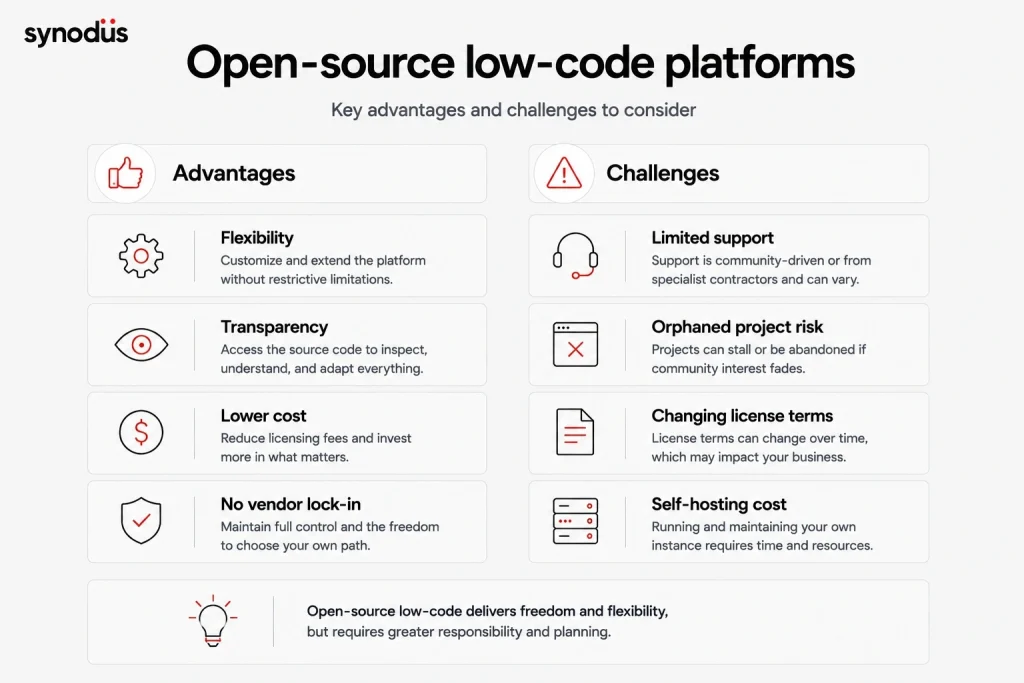
- Flexibility: you get near-unlimited customization without worrying about breaching restrictive terms.
- Control: you can adjust the underlying code to fit your exact requirements and deployment.
- Reliability: most projects have an active GitHub community for updates, support, and peer review, which means many eyes on the code.
- Transparency: open code lets you inspect and tailor everything, and community-driven roadmaps tend to be far more transparent.
- Lower cost and no vendor lock-in: unlike closed-source tools where you depend on a vendor for updates, security, and support, open-source keeps you in control.
The downsides to watch for
- Limited support and warranty: because the product is not commercially driven, support often comes from the community or specialist contractors, which can be uneven.
- Orphaned software risk: a project can stall or be abandoned if community interest fades, though a well-resourced company can keep supporting it.
- Changing license terms: open-source terms are community-driven and can shift, which may cause problems if you build a service on top of the platform.
- Self-hosting cost: running your own instance takes time and resources, which can be a barrier for newcomers chasing a low-cost option.
For the bigger picture, see our breakdown of low-code benefits and disadvantages.
Our list of the top open-source low-code platforms
The list leads with the highest-starred, most active projects in 2026, then moves through other strong options grouped by what they do best.
1. n8n
GitHub stars: around 192k
n8n is a fair-code workflow automation platform with native AI, and one of the most-starred open-source projects on GitHub. It combines a visual builder with custom code, runs self-hosted or in the cloud, and ships 400+ integrations. In 2026 it has become the default toolkit for building AI agents and automations, which is reflected in its explosive star growth.
- Best for: workflow automation and AI agents, from inbox triage to multi-step business processes.
- Pros: huge integration library, strong AI features, very active community.
- Cons: self-hosting and scaling need some technical care.
- Pricing: fair-code, free to self-host. Paid cloud and enterprise plans available.
2. Appsmith
GitHub stars: around 40k
Appsmith is a developer-focused open-source platform for building internal tools, admin panels, and dashboards. It connects to 50+ data sources including PostgreSQL, MongoDB, MySQL, REST, and GraphQL, with native Git integration and deep JavaScript customization.
- Best for: JavaScript-heavy teams that want full control over internal tools.
- Pros: mature, broad data-source support, strong developer experience.
- Cons: leans toward developers more than true non-coders.
- Pricing: free and open-source (Apache 2.0), unlimited self-hosted users. Paid cloud and business tiers available.
3. ToolJet
GitHub stars: around 35k
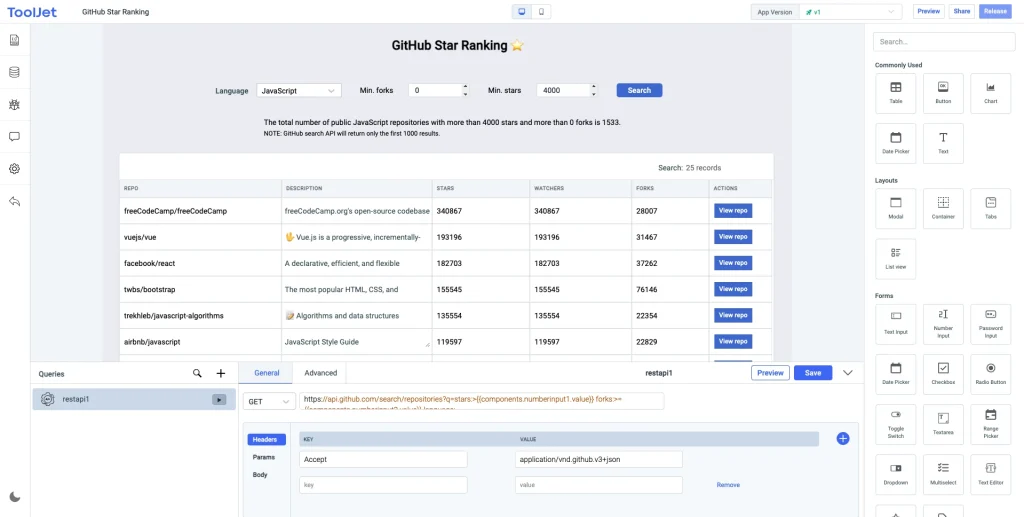
ToolJet is an AI-native, open-source framework for building low-code internal tools and business apps. It works with many databases (PostgreSQL, MySQL, MongoDB, Cloud Firestore, and more), runs locally or in the cloud, and supports custom code in JavaScript and Python. Its standout 2026 feature is natural language app generation: describe what you want and it builds a first draft.
- Best for: teams that want a flexible, AI-ready internal tool builder.
- Pros: developer-friendly with a low learning curve, active community, strong AI generation.
- Cons: performance can dip with very large datasets.
- Pricing: free tier available, paid plans from around $19 per month.
4. Budibase
GitHub stars: around 28k
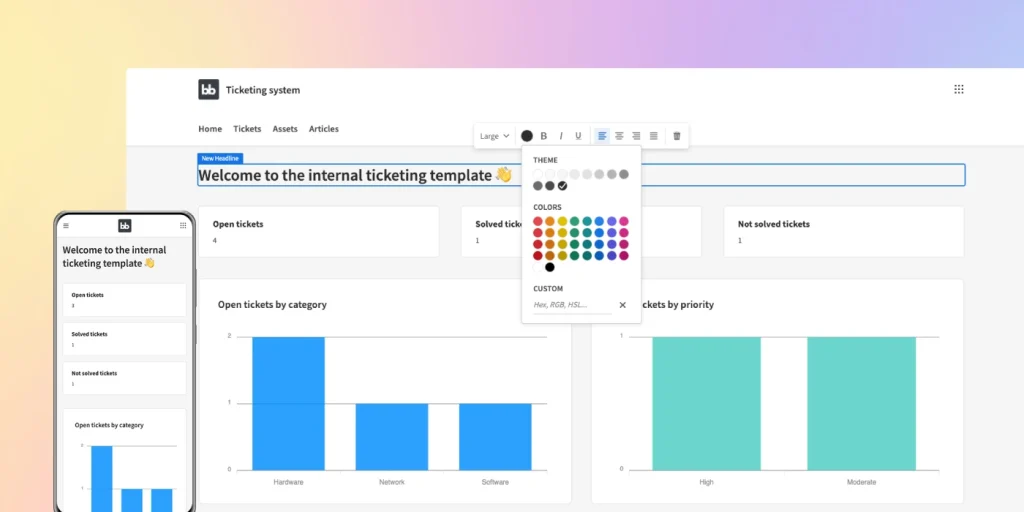
Budibase is a popular open-source platform for quickly building web apps, internal tools, forms, and admin panels. It integrates PostgreSQL, MySQL, Airtable, MongoDB, REST API, and Docker, and ships with a built-in database so you can start without an external data source.
- Best for: fast, auto-generated internal tools where minimal logic is needed.
- Pros: low learning curve, good docs, supports self-hosting.
- Cons: less suited to enterprise-grade complex workflows, and self-hosted setups need security care.
- Pricing: free open-source tier, paid plans from around $50 per creator per month plus $5 per app user per month.
5. Huginn
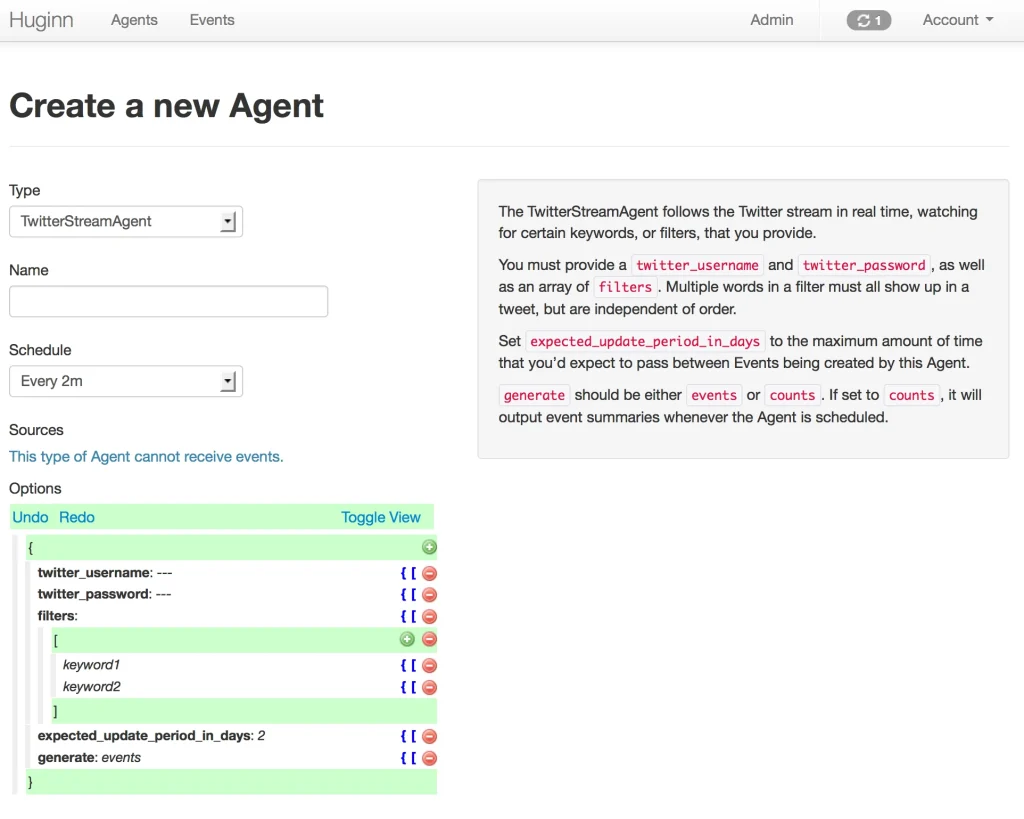
Huginn lets you build agents and bots that automate simple tasks and processes, a solid open-source pick when choosing a low-code automation tool. It can scrape websites, watch for updates, send digest emails or SMS alerts, and connect to services like Slack, RSS, and many more. It works best for simple tasks and gets harder to use for complex ones.
- Pricing: free.
6. WordPress
WordPress, created in 2003 by Mike Little and Matt Mullenweg, remains one of the most widely used low-code tools for building websites and publishing systems through a drag-and-drop experience. It is SEO-friendly, customizable in PHP, and backed by thousands of plugins, powering a huge share of the web.
- Pros: a full, customizable CMS with a vast template and plugin marketplace, light on hosting resources.
- Cons: costs add up once you want a domain, premium templates, and advanced features, and the learning curve can be steep.
- Pricing: several tiers, roughly $4 to $65 per month including taxes.
For more options here, see our review of the top low-code website builders.
7. Node-RED
Node-RED is a flow-based programming tool for wiring together hardware, APIs, and online services. Created by IBM and now under the OpenJS Foundation, it offers a browser-based editor and a wide palette of one-click nodes, with flows stored as JSON for easy sharing.
- Pros: JavaScript customization, npm package support.
- Cons: carries many internal dependencies and may need a third-party service for deployment.
- Pricing: free.
8. NocoBase
NocoBase is an open-source, data-model-driven platform for building collaboration and management tools. Its plugin-based, micro-core architecture lets you extend apps flexibly, and granular role-based access control is a real strength.
- Pros: rich data modeling for complex structures, strong access management.
- Cons: some users report limited integrations.
- Pricing: free and open-source. Contact the vendor for commercial packages.
9. PyCaret
PyCaret is an open-source, low-code machine learning toolkit in Python that streamlines the ML workflow and speeds up experimentation. It wraps many ML libraries so citizen data scientists can run analytical tasks that once needed deep expertise.
- Cons: leaning on it too heavily can obscure the underlying ML mechanics, and debugging can be tricky.
- Pricing: free (MIT License).
10. Frappe Framework
Frappe is a low-code, metadata-driven framework for building business applications, built with Python and JavaScript on MariaDB and PostgreSQL. It powers ERPNext, a well-known open-source ERP. You can integrate via webhooks and REST API, build on existing projects thanks to its modular structure, and set granular permissions.
- Cons: custom code can break on updates, and setup can be tricky.
- Pricing: free framework on GitHub. ERPNext and extra features run roughly $10 to $100 per month depending on the plan.
11. Baserow
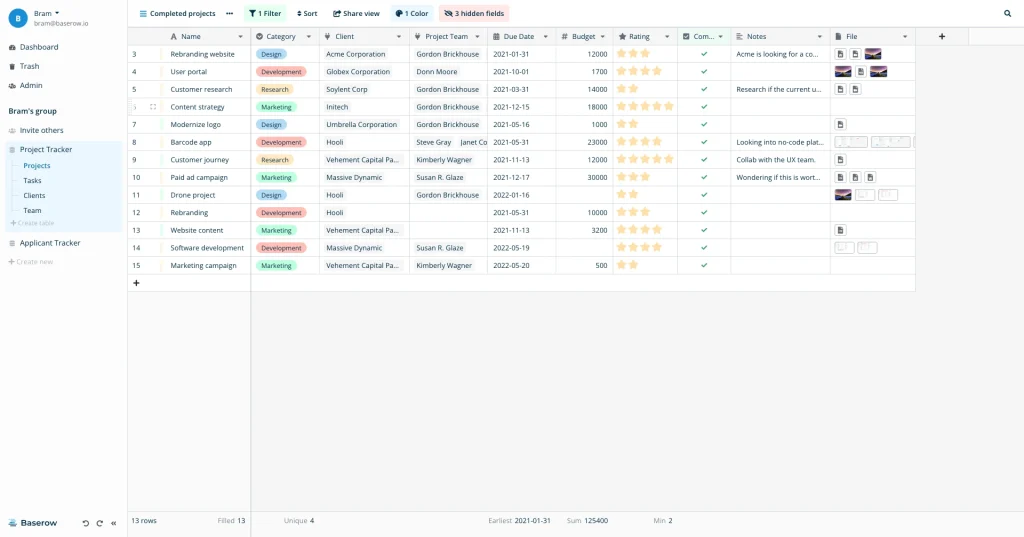
Baserow is an open-source no-code platform for relational database management that you can still customize to a degree. It gives teams a clean, shared interface for organizing data.
- Pros: single interface, easy integrations, real-time collaboration, self-hostable.
- Cons: focused on relational data, so it may not suit specialized storage needs.
- Pricing: free for individuals and small teams, paid plans from around 5 euros per user per month.
For more in this category, see our roundup of low-code databases.
12. Rowy
Rowy is an open-source low-code platform for cloud database management, building a scalable backend on Firebase and Google Cloud. You can connect it to an existing database and add new functions without starting from scratch.
- Cons: heavy reliance on Firebase can limit backend flexibility, and it has fewer workflow features than some rivals.
- Pricing: free version available, paid from around $12 per seat per month.
13. Lowdefy
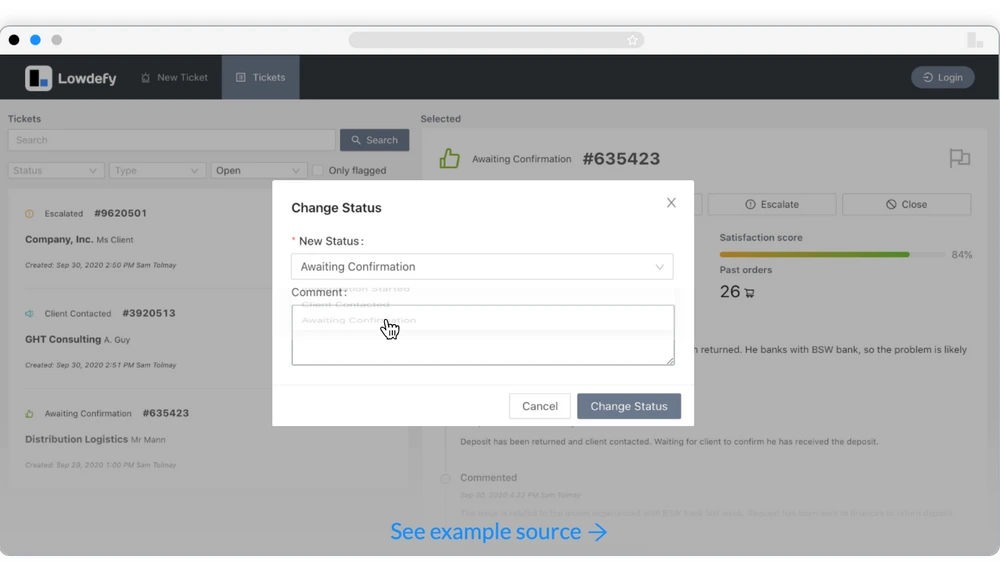
Lowdefy is a free, open-source low-code platform that builds tools using only YAML or JSON files. You can create interactive UIs, mobile-friendly apps, dynamic forms, and handle authentication with minimal code, ideal for web apps, admin panels, BI dashboards, and CRUD interfaces.
- Pros: data binding to UI elements, JavaScript customization.
- Pricing: free.
14. Corteza
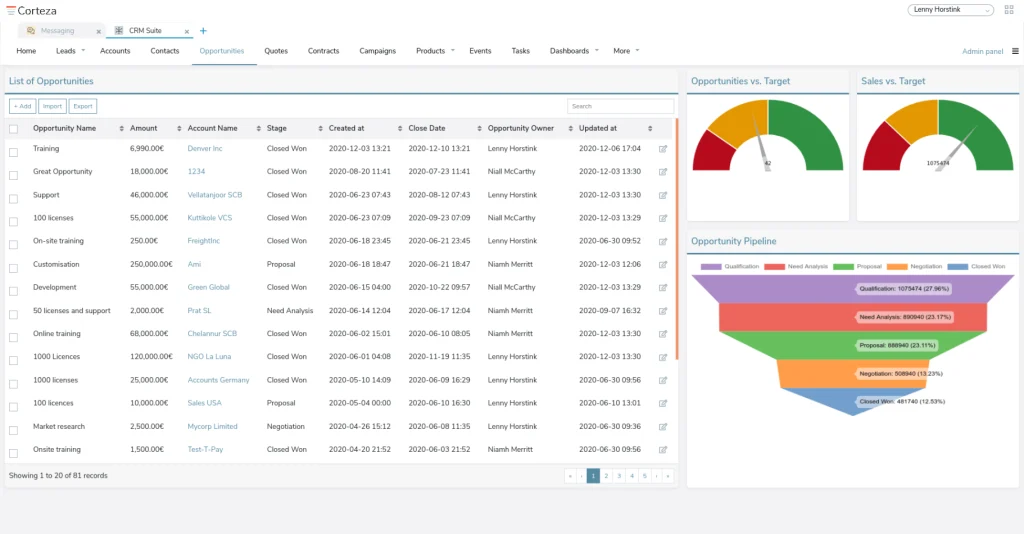
Corteza is a fully open-source, standardized platform for low-code app development, business process integration, and data harmonization. Many companies use it to build CRM, ERP, and accounting systems. Its backend is written in Go, it follows W3C standards, exposes everything via REST API, and deploys cloud-native with Docker.
- Pricing: free.
For this use case, see whether low-code ERP could replace your traditional ERP.
15. Joget
Joget DX is a modern open-source low-code platform built for faster digital transformation, combining workflow management, business process automation, and rapid application development. It supports PWAs, built-in performance management, Git integration, and no-code AI plugins.
- Cons: visibility control logic can be confusing, Git versioning can throw errors, and the learning curve is steep with limited documentation.
- Pricing: from around $5 to $17 per user per month.
Other notable open-source projects
Several smaller but capable projects are worth a look depending on your needs:
- Steedos: a Salesforce Lightning alternative with click-and-drag building and third-party integration, MIT-licensed and free.
- Structr: a graph-technology-based platform with a visual builder and logic IDE, used by names like DHL and Honda, free with a dual-license option.
- Skyve: a combined low-code and no-code platform aimed at citizen developers, with strong docs and tutorials, free trial then paid tiers.
- Formsflow.ai: a workflow and analytics platform supporting BPMN, role-based access, and encryption, free version plus premium tiers.
- Convertigo: a full-stack mobile and web app builder with strong security and offline support, free version plus paid plans.
- StackStorm: an event-driven automation and tool-integration platform under the Linux Foundation, free.
- REI3: cost-effective business software for SMEs with no user cap, supporting on-cloud and on-premises deployment, free and paid versions.
- Appsemble: a low-code platform with a web-based editor and YAML/JSON app recipes, good for citizen developers, with self-hosted and paid options.
If on-premises matters to you, see our guide to the best low-code platforms for on-premises deployment.
Open-source low-code platforms for AI agents
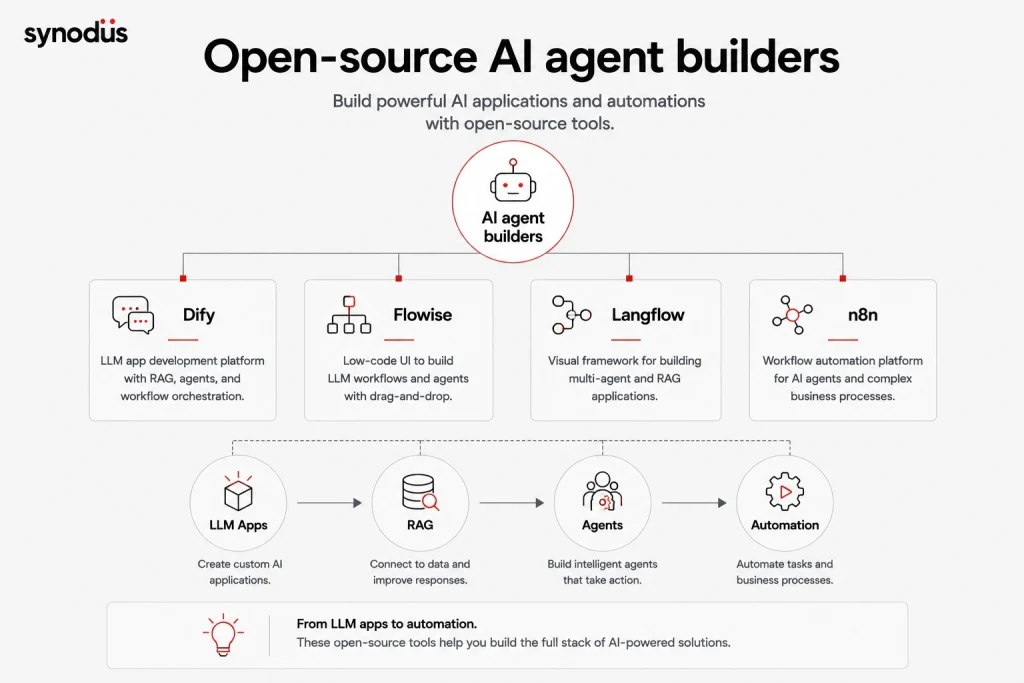
The fastest-growing corner of open-source low-code in 2026 is the AI agent and LLM app builder. These tools let you wire together language models, retrieval, memory, and tools on a visual canvas, then deploy the result as an API or chatbot, usually self-hosted for full data control. The space is led by a few standout projects.
Dify
Dify is the most-starred open-source LLM application platform, with well over 100k GitHub stars. It bundles an agent builder, a RAG knowledge base, prompt management, observability, and API publishing in one package, which makes it the most production-ready of the group. It self-hosts with Docker and works with all major models and vector databases.
- Best for: teams building real, production AI applications with a team behind them.
- Pricing: free and open-source to self-host, with a paid managed cloud tier.
Flowise
Flowise is a drag-and-drop builder for LLM apps and agents, built on LangChain, with around 30k stars. You connect LLM nodes, memory stores, retrievers, and tools on a canvas, and it exports as an API. It is the quickest of the three to get a working chatbot or RAG demo running.
- Best for: fast prototyping and simple chatbot-with-retrieval use cases.
- Pricing: free and open-source (Apache 2.0), paid cloud starter tier available.
Langflow
Langflow is a visual builder for agentic and RAG apps with deep Python customization and native LangGraph integration, with roughly 45k stars. Flows are stored as JSON for easy sharing and version control, and it scales toward more advanced multi-agent setups.
- Best for: teams that want visual building now but expect to need code-level control later.
- Pricing: free and open-source (MIT), with a managed cloud option.
A practical note on choosing: for this category the deciding factors are usually the deployment model (do you need self-hosted, VPC, or air-gapped), the governance layer (roles, audit, secrets management), and the integration surface. This is also where open-source pays off most for regulated industries: running an agent self-hosted keeps sensitive patient or financial data inside your own security perimeter rather than sending it to a third-party cloud. For more on this, see our guides to low-code AI platforms and building a low-code chatbot. Note that n8n, listed above, also serves this need well when your agents need to plug into real business systems like CRMs and databases.
Side-by-side comparison
A quick reference for some of the most popular options above. Pricing is approximate and changes often, so confirm on each vendor’s site.
| Platform | Type | Best use cases | Pricing |
|---|---|---|---|
| n8n | Workflow automation and AI agents | Inbox triage, reporting, multi-step automations, AI agents | Free self-host, paid cloud |
| Appsmith | Internal tools and dashboards | Admin panels, internal apps, data dashboards | Free self-host, paid cloud |
| ToolJet | Internal tools, AI-native builder | CRM, HRM, bug trackers, AI-powered tools | Free tier, from ~$19/mo |
| Budibase | Internal apps, forms, workflows | Approval apps, admin panels, portals, directories | Free tier, from ~$50/creator/mo |
| Huginn | Bot and agent builder | Automating simple, repeated daily tasks | Free |
| WordPress | Websites and publishing | Sites and web apps from basic to complex | ~$4 to $65/mo |
| NocoBase | Management and collaboration | Event, order, membership, task management | Free, vendor pricing for commercial |
| Baserow | Relational database | Shared data tables and lightweight tracking | Free tier, from ~5 euros/user/mo |
| Lowdefy | Internal tools | Admin panels, BI dashboards, CRUD apps | Free |
| Dify | AI agents and LLM apps | RAG chatbots, AI assistants, production AI apps | Free self-host, paid cloud |
| Flowise | AI agents and LLM apps | Chatbots, document retrieval, fast prototypes | Free self-host, paid cloud |
| Langflow | AI agents and RAG | Multi-agent and RAG apps needing code control | Free self-host, paid cloud |
How to choose the best open-source low-code platform
There are strong options for database management, enterprise systems, and process automation, so picking the right one matters. Weigh these criteria:
- End users: who will use it, internal staff or external partners and customers? What is their technical level, and does the platform fit them? These questions shape the features you will need.
- Hosting and deployment: cloud hosting tends to pair well with open-source low-code, but if you have stricter security needs, consider self-hosting.
- Cost: check the pricing page carefully, since open-source rarely means fully free at scale.
- Functionality: know exactly what you want to build first, since no platform is one-size-fits-all.
- Data and integrations: confirm the platform supports the external data sources and third-party tools you rely on.
Frequently asked questions
Not always. Open-source means the code is public to view, modify, and share, but many projects charge for cloud hosting, premium features, or enterprise support. Self-hosting the community edition is usually free, though it costs time and infrastructure to run.
Self-hosting is one of the main reasons teams in regulated industries choose open-source. Running a platform or AI agent on your own servers keeps sensitive data inside your security perimeter rather than sending it to a third-party cloud, which helps with GDPR, HIPAA, and similar requirements. You are responsible for securing the instance, so governance still matters.
It depends on the job. For internal tools, Appsmith, ToolJet, and Budibase are strong. For workflow automation and AI agents, n8n is a favorite. For full ownership with no license cost, Frappe is a solid framework. Match the tool to your use case rather than picking by stars alone.
Dify is the most production-ready for LLM apps and agents, Flowise is fastest for simple chatbots and prototypes, and Langflow suits teams that want visual building with deeper code control. n8n is the best fit when your agent needs to plug into real business systems.
Wrapping up
Before you download an open-source low-code platform, research its features carefully. These tools can build almost any application, but some are made only for databases or enterprise automation, and some serve professional developers better than citizen developers despite claims to the contrary. Match the platform to your real needs, your team, and your budget.
If you would rather have experts build it for you, Synodus delivers custom low-code service, from internal tools to enterprise ERP, for businesses across finance, healthcare, and aviation. Talk to our team to find the right fit for your project.