Key takeaway
- No-code uses click-and-point configuration to build applications without any programming.
- Low-code combines click-and-point configuration with some custom programming to build more complex applications.
- No-code is better for simple projects with standard requirements and limited customization needs.
- Low-code is the choice for applications that need flexibility, scalability, integrations, and higher performance.
- Both are accelerating digital transformation by opening up app development to non-developers. In a Microsoft survey, 82% of developers agreed that low-code or no-code had improved their teamwork.
What is low-code?
Low-code means building applications through visual interfaces and drag-and-drop features, with the option to add custom code where needed. These environments are simple enough that people with little software experience can assemble web and mobile apps, yet because they allow customization, some technical background is needed to unlock the full power of the technology. Most modern low-code platforms now ship with an AI assistant that can turn a plain-language prompt into a working screen, flow, or data model, which speeds up the build even further.
If you want a deeper primer first, see our guide on what low-code is, its types and use cases.
Low-code development pros
- Uses graphical interface builders that need little custom code.
- Lets businesses update and modify apps easily as requirements change.
- Makes app development and delivery possible for people with limited coding skills.
- Streamlines the build process, which boosts productivity.
- Saves money by enabling in-house development without a large engineering team.
Low-code development cons
- Security gaps can appear if governance is weak. Learn more about low-code security and how to manage the main risks.
- If an app needs heavy custom coding to finish, costs can run higher than with no-code.
For a full breakdown, read our analysis of the pros and cons of low-code for business.
What is no-code?
No-code development, also called zero-code, lets anyone build applications regardless of their technical background. With no-code tools, a person who is not a programmer can turn an idea into a working app with little effort and time. It suits companies that want non-technical, in-house staff to build simple applications without pulling in scarce engineering resources. In 2026, many no-code platforms also include built-in AI that generates an app, automation, or agent from a single prompt, which has pushed the technology well beyond the basic template builders of a few years ago.
No-code development pros
- Builds apps through visual editors with no programming underneath.
- Lets teams create and release applications rapidly.
- Allows anyone without coding experience to create and retire their own applications.
- Streamlines the build process, which boosts productivity.
- Saves money, since apps can be made in-house without any programming expertise.
No-code development cons
- Security gaps can appear, especially when business users build outside IT oversight.
- Builders may overlook important aspects of user experience.
- Limited in advanced features, since it runs on templates and does not open up for customization.
Similarities between low-code and no-code development
Both low-code and zero-code development try to simplify complex coding tasks by relying on visual interfaces and default templates. Beyond the shared drag-and-drop foundation, both deliver a similar set of advantages:
- Cost-effectiveness: Both need fewer people, fewer resources, and less money on infrastructure and maintenance than building from scratch, which means a better return on investment alongside faster, more agile releases.
- Collaboration: Both bring more users into the build process, creating shared understanding across teams that used to work in silos.
- Spreading technology to more people: Both give business users more agency and reduce dependence on high-priced, in-demand specialists.
- Higher productivity: Both cut IT backlogs and shorten project timelines. Industry research shows low-code and no-code platforms can reduce application development time by up to 90%, compressing months of work into weeks or days.
- Fast prototyping: Both make it easy to build prototypes for rapid iteration and feedback before committing serious resources.
- Build it, do not buy it: Both encourage in-house customization, while commercial off-the-shelf products can be costly and force a one-size-fits-all approach.
- Architectural consistency: A single platform keeps cross-cutting modules such as logging and auditing consistent, which also simplifies debugging because teams fix problems instead of learning new frameworks.
This momentum is reflected in the market. The global low-code and no-code market was valued at roughly $28.75 billion in 2024 and is projected to reach $264 billion by 2032, one of the fastest-growing segments in enterprise software.
Differences between low-code vs no-code
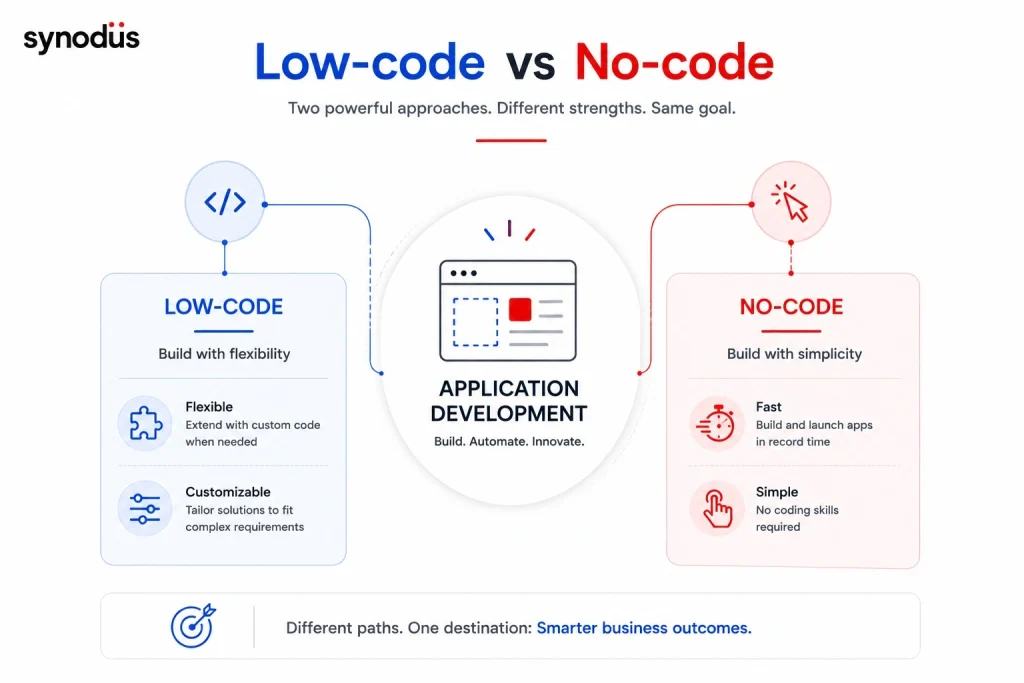
No-code lets business users build apps without coding, while low-code lets IT specialists create complex, bespoke programs. The table below breaks down the key differences.
| Low-code | No-code | |
|---|---|---|
| App complexity | Builds complex apps with minimal code. Platform-agnostic. | Builds basic apps. Often confines users to one platform, making switching harder. |
| Customization | Open for customization. You can use templates and drag-and-drop while tailoring the parts you want to change. | Offers pre-built templates and components, but is not open for customization. You use what it provides. |
| Primary objective | Enables app development with some coding. Slightly more complex to use than no-code. | Enables app creation with no coding. Simpler to use but less flexible than low-code. |
| Target users | Developers use it to avoid rewriting fundamental code, freeing time for feature-rich innovation. Non-technical users can also learn basic coding with it. | Built for business users with deep domain knowledge but no coding skills. Works well for hybrid teams and non-IT groups like HR, finance, and legal. |
| Speed | Takes a little longer to learn, build, and deploy because of customization, but is still far quicker than conventional development. | Builds faster than low-code. |
| Open vs closed systems | An open system that lets users write functionality, allowing more flexibility and reuse. Custom code must be re-checked against platform updates. | A closed system with templated features. This limits use cases but simplifies backward compatibility, since no hand-written code can break future versions. |
| Shadow IT risk | Needs little IT involvement, which can lead to unmonitored parallel infrastructure, security concerns, and technical debt. | Needs even less IT involvement. |
| Architectural range | Scales and supports cross-platform use better than no-code. Custom plugins and code enable more implementations. | Integration with legacy systems and other platforms is restricted. Supports few use cases and scales poorly. |
Low-code vs no-code in the AI era
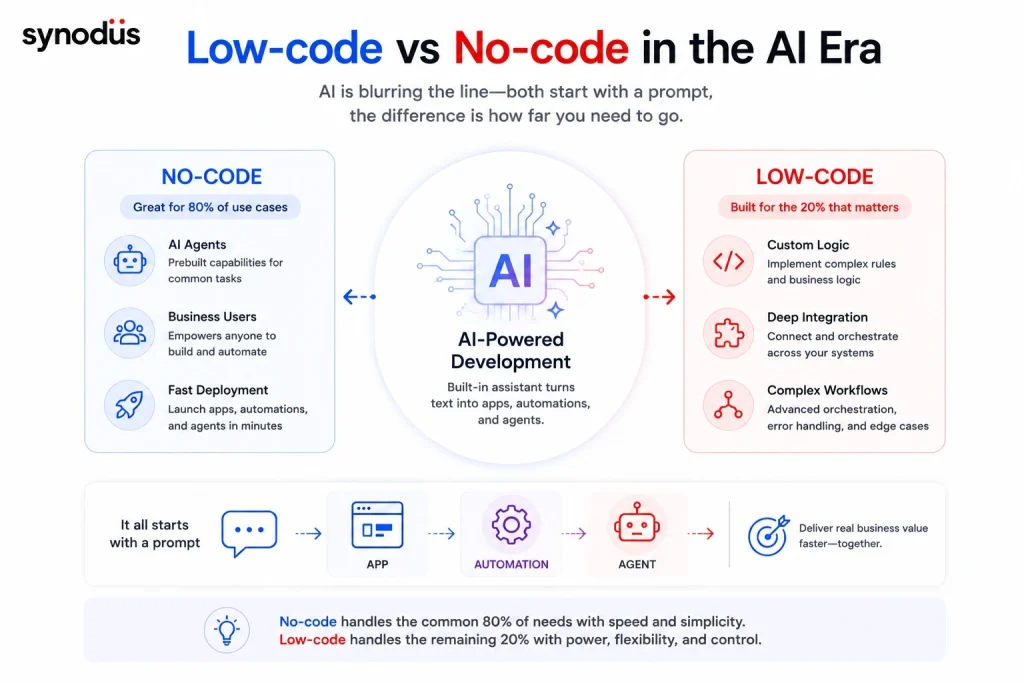
The line between low-code and no-code is blurring fast, largely because of AI. In 2026, most platforms on both sides ship a built-in assistant that turns a text prompt into a working app, automation, or agent, so the day-to-day experience of using them is converging. The old objection that no-code is only good for toy projects no longer holds: modern no-code tools handle client onboarding, support, knowledge management, and other real business workflows, and several now include governance features built for regulated industries.
The most interesting shift is around AI agents. Many teams no longer just want an app, they want an agent that can take actions across their systems. Here the split is practical rather than philosophical:
- No-code is strong for reviewable, well-scoped agent tasks such as inbox triage, CRM enrichment, research briefs, and report generation, where a visual builder is enough and a human reviews the output.
- Low-code wins when the agent needs deep orchestration, custom business logic, error handling, and tight integration with internal systems. No-code tends to cover the common 80% of cases well, while low-code handles the remaining 20% of conditional logic and edge cases that visual builders struggle with.
If you are weighing an agent specifically, read our deeper take on low-code and AI and on building a low-code chatbot.
What to choose: Low-code or no-code development?

Low-code is the preferred choice when use cases are complex, involve connections with other on-premises or cloud applications, are customer-facing or business-critical, or must be rolled out across the company. Developers can reuse pre-built patterns, screens, widgets, and app templates, then tweak and extend them with standard programming.
Common low-code use cases
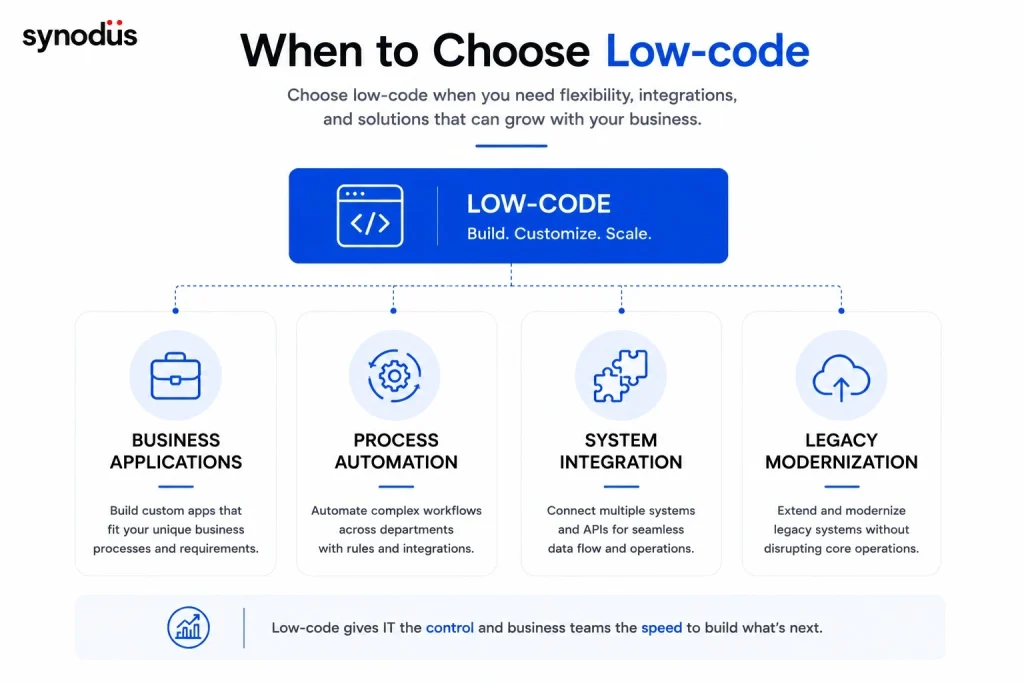
- Customer and partner applications and portals.
- Internal business applications.
- Business process automation.
- Modernization of obsolete and end-of-life applications.
A good example is the task management system we built for Bamboo Airways, an airline coordinating 2,000 onsite and remote employees. The requirements were exactly the kind that suit low-code: business-critical, integrated with Office 365 and SharePoint, and distributed company-wide. Built on Power Apps, Power Automate, and Power BI, the project shipped in 10 weeks with a team of 4, and within 3 months it lifted task completion rates by 25% and cut manual tasks by 30%. A no-code tool could not have handled that level of integration and scale.
No-code is the viable choice when you build simple apps that need little to no modification and focus on streamlining a straightforward process. Replacing a spreadsheet report with an easier-to-read dashboard, for example, can improve staff productivity quickly. For inspiration, browse our roundup of low-code examples from leading brands.
In practice, the best answer for many organizations in 2026 is not one or the other but a hybrid approach: prove the idea quickly with no-code, then move the parts that need to scale or carry complex logic onto low-code. This lets you capture quick wins without painting yourself into a corner when requirements grow, and it is exactly how most enterprises now run their stacks.
Common no-code use cases
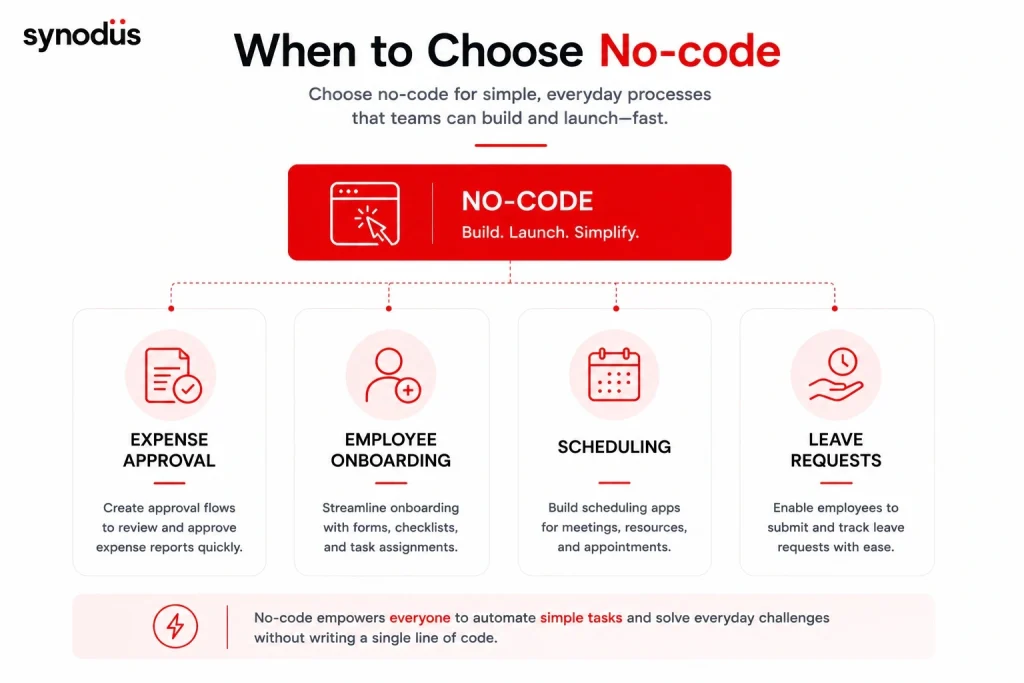
- Expense approval.
- Employee onboarding.
- Scheduling and calendaring.
- Order administration.
- Leave and vacation approval.
With the rise of low-code and no-code, many people wonder whether they can replace high-code, the traditional way of building software. Learn the differences between low-code and high-code, when to use each, and how to combine them.
Low-code vs no-code for SME and enterprise
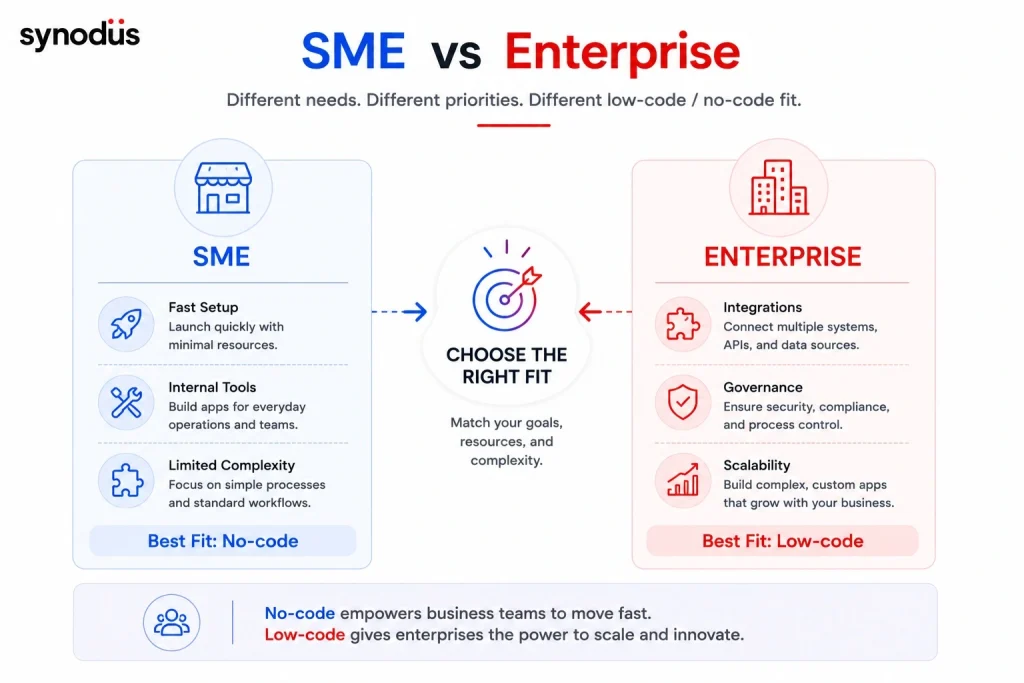
The right approach often depends on the size and ambition of your organization.
For a small or medium business, no-code is usually the faster on-ramp. If your goal is to digitize a single process, replace a spreadsheet, or stand up an internal tool without hiring developers, no-code gets you there in days. The constraint is that you will hit a ceiling once you need custom logic, deep integrations, or apps that scale with the business. Many SMEs start on no-code and migrate to low-code as their needs grow.
For an enterprise, low-code is the safer long-term bet. Large organizations almost always need integrations with ERP, CRM, and legacy systems, plus governance, security, and the ability to scale across departments. Low-code delivers that while still cutting development time dramatically. This is why Gartner expects 80% of low-code users to come from non-IT departments by 2026 and why most enterprises now run hybrid stacks, using no-code for quick wins and low-code for anything mission-critical. Our pharmaceutical ERP project on Dynamics 365, which supported 80% year-on-year growth, is a typical enterprise case where no-code simply would not have been enough.
Some questions to help you decide
Ask these questions to uncover your real requirements:
- What are your objectives for using low-code or no-code software?
- Who exactly will use it, and what is their level of programming knowledge?
- What is the scope and size of the problem you need to solve?
- Does the build need to integrate with internal and external applications?
- What is the required turnaround time?
- How much control over the code do you want to keep?
- Does the application handle private data or require security precautions?
- How will the solution support communication and collaboration across your business?
- Can professional developers extend the solution to provide reusable custom code and design for both business and technical teams?
The two most important questions are simple: what is the application for, and who will build it? Both matter, but it is best to take a goal-centred approach and let the use case lead the decision rather than starting from the tool.
Frequently asked questions
Yes. In 2026, no-code platforms can build capable AI agents for well-scoped, reviewable work such as inbox triage, CRM enrichment, and report generation. The limit shows up when an agent needs complex orchestration, custom logic, or deep integration with internal systems, which is where low-code or custom code becomes the better fit.
No. AI is being built into low-code and no-code platforms rather than replacing them. Prompt-to-app assistants make these tools faster and more accessible, but you still need the visual builder, governance, and integration layer that the platforms provide to turn a generated draft into a production-ready application.
For a simple, standalone app, no-code is usually cheaper and faster because it needs no developer time. For anything with custom logic or integrations, low-code often delivers a lower total cost over the life of the app, since it avoids the rebuild you would face when a no-code tool hits its ceiling.
Wrapping up
Citizen developers are only part of the story. Gartner forecasts that non-technical staff will make up 80% of low-code platform users by 2026. Without conventional programming, low-code or no-code can help you turn almost any application idea into reality and digitize everyday operations. No-code is ideal for people with no coding knowledge and simple needs, while anyone with light to advanced technical skills will get more out of low-code. In the end, choose the approach that best fits your business requirements and your future strategy.
At Synodus, we help SMEs and enterprises pick and implement the right approach, from quick no-code wins to complex low-code applications and AI-powered workflows. Explore our low-code service to find out which one fits your processes.