Classification 1: By deployment model
The deployment model determines where your data lives, who manages the infrastructure, and what your IT requirements look like. This is typically the first decision to make.
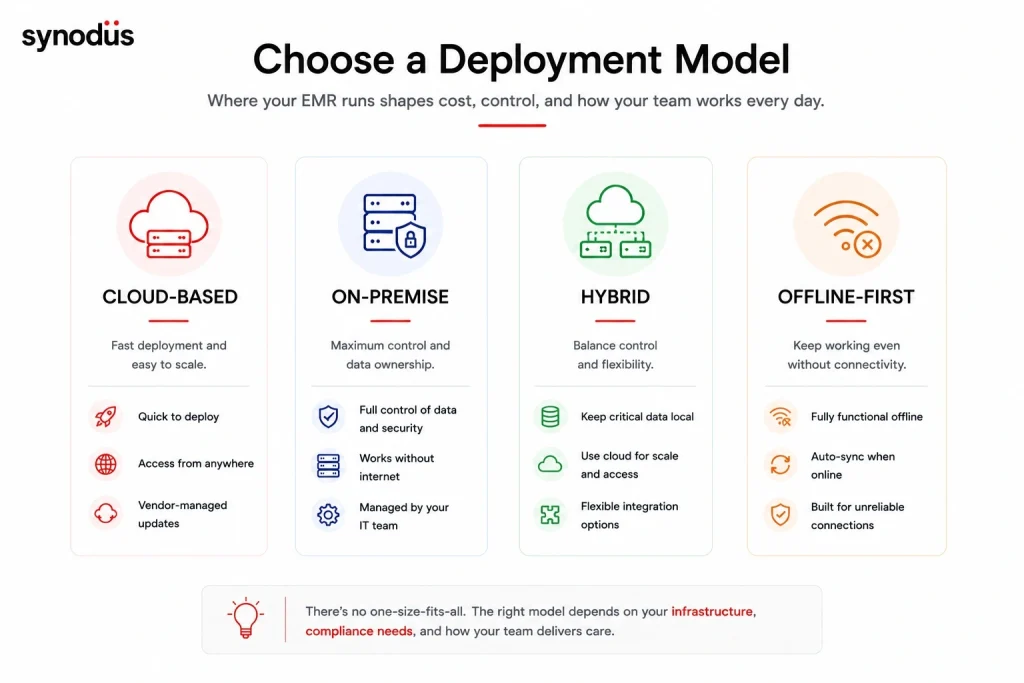
Cloud-based systems
Cloud-based store all software and patient data on secure vendor servers, accessed through a web browser or dedicated app. No on-site servers required.
How it works: The vendor manages infrastructure, security patches, backups, and software updates. Your clinical staff access the system through a browser from any device with internet connectivity.
Strengths:
- Low upfront cost – no server hardware to purchase
- Fast deployment – often live within days to weeks
- Automatic updates and maintenance handled by the vendor
- Accessible from any location or device
- Scales easily as your practice grows
Limitations:
- Requires stable internet connectivity – outages affect access
- Monthly subscription fees accumulate; 5-year TCO often exceeds on-premise
- Data residency may conflict with local regulations in some markets
- Less control over security configuration than self-hosted options
Best for: Solo practitioners, small-to-mid size clinics, multi-location practices that prioritize fast deployment and minimal IT overhead.
Examples: eClinicalWorks, Athenahealth, Tebra, DrChrono, Practice Fusion
On-premise systems
On-premise systems are installed on servers owned and managed by the healthcare organization. All data stays within the facility’s own infrastructure.
How it works: Your IT team (or a contracted managed service provider) handles server management, backups, security updates, and hardware maintenance. The vendor provides the software and support.
Strengths:
- Full control over data storage and security configuration
- No ongoing subscription fees after initial licensing
- Works without internet connectivity
- Better performance in high-bandwidth clinical environments (large imaging files)
- Easier to meet strict data sovereignty requirements
Limitations:
- Higher upfront capital investment for hardware and infrastructure
- Requires dedicated IT staff or managed service provider
- Software updates must be applied manually and scheduled
- Disaster recovery requires active planning and testing
Best for: Large hospitals with existing IT infrastructure, facilities with strict data sovereignty requirements, organizations with unreliable internet connectivity.
Examples: Epic (on-premise deployment), MEDITECH (on-premise tier), on-premise OpenEMR installations
Hybrid systems
Hybrid systems combine cloud and on-premise architecture. Core clinical data is stored locally for performance and compliance; analytics, patient portals, and remote access run through cloud infrastructure.
How it works: Sensitive patient records and clinical documentation remain on local servers. Cloud components handle functions where remote access and scalability matter more than data locality.
Strengths:
- Balances data control with cloud flexibility
- Local performance for high-volume clinical workflows
- Cloud components scale without infrastructure investment
- Practical transition path from fully on-premise to cloud
Limitations:
- More complex to architect and maintain than either pure model
- Requires clear data classification – which data stays local, which goes to cloud
- Higher IT overhead than pure cloud
Best for: Mid-to-large hospitals transitioning from legacy on-premise systems, organizations with mixed data residency requirements, facilities with strong IT teams.
Offline-first systems
A specialized subset designed for environments with intermittent or no internet connectivity. Data is stored locally and syncs to central servers when connectivity is available.
How it works: The system functions fully offline. When internet becomes available, data syncs automatically using conflict resolution to handle concurrent changes.
Strengths:
- Fully functional without internet
- Designed for rural and remote settings
- Protects against connectivity-related care disruptions
Limitations:
- Feature set typically more limited than cloud-based alternatives
- Sync conflicts can occur if the same record is modified in multiple locations
- Less suited for high-volume urban practices
Best for: Rural clinics, field hospitals, disaster response settings, facilities in areas with unreliable connectivity.
Examples: HospitalRun, OpenMRS (with offline module)
Classification 2: By clinical scope and specialty
Deployment model tells you where the system runs. Clinical scope tells you what it is built to do.
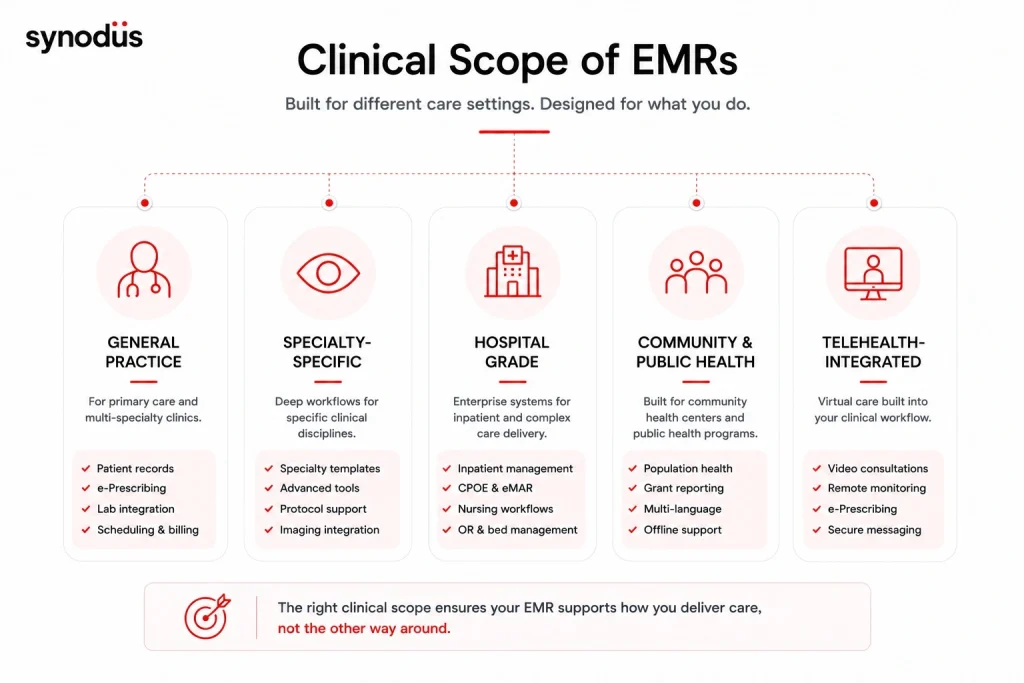
General practice systems
Designed for primary care, family medicine, and multi-specialty ambulatory practices. Cover a broad range of clinical documentation needs without deep specialty-specific features.
Core capabilities: Patient registration, SOAP note documentation, e-prescribing, lab integration, preventive care reminders, scheduling, billing.
What they do well: Standard primary care workflows out of the box, fast to configure, broad compatibility with common lab and billing systems.
Limitations: Specialty-specific workflows (oncology protocols, ophthalmology imaging, psychiatric treatment plans) require workarounds or custom configuration.
Examples: OpenEMR, eClinicalWorks, LibreHealth, Athenahealth
Specialty-specific systems
Built around the documentation requirements of a specific clinical discipline. Common specialty EMRs include:
Mental health and behavioral health: Treatment plan workflows, BIRP and DAP note formats, group therapy documentation, outcome measurement tools (PHQ-9, GAD-7), and session tracking across long treatment courses.
Oncology: Chemotherapy order sets, protocol tracking, infusion documentation, multi-disciplinary care coordination, clinical trial enrollment support, and RECIST response assessment tools.
Ophthalmology: Integrated imaging (fundus photography, OCT, visual fields), ophthalmic examination templates, contact lens ordering, and surgical scheduling with OR documentation.
Dentistry: Odontogram, periodontal charting, digital imaging integration, treatment plan sequencing, and dental insurance billing codes.
Cardiology: ECG integration, stress test documentation, catheterization lab workflows, and cardiac device management.
What they do well: Deep specialty workflow support that would take months to configure in a general EMR. Documentation templates match how specialty clinicians actually work.
Limitations: Usually not suited for multi-specialty practices that need broad coverage. More expensive per specialty than a well-configured general EMR.
Hospital-grade systems
Designed for inpatient environments with high concurrent users, complex care coordination, and multi-department integration. These systems go beyond clinical documentation to include inpatient order management, bed management, nursing workflows, and OR scheduling.
Core capabilities beyond ambulatory EMR: Inpatient admission/discharge/transfer (ADT), CPOE for inpatient orders, nursing documentation, medication administration records (MAR), surgical scheduling and documentation, ICU flowsheets.
What they do well: Managing complex care across multiple departments simultaneously. Supporting high patient volumes with enterprise-grade reliability.
Limitations: Expensive, complex to implement, and require substantial IT infrastructure. Overkill for ambulatory practices.
Examples: Epic, Oracle Health, MEDITECH Expanse
Community and public health systems
Designed for community health centers, free clinics, NGOs, and public health programs. Prioritize affordability, flexibility for non-standard workflows, and adaptability to low-resource environments.
Core capabilities: Patient registration with complex demographics, chronic disease management for underserved populations, grant reporting and quality measure tracking, multi-language support, and offline functionality.
What they do well: Serving complex patient populations with social determinants of health data, grant-required quality reporting, and workflows designed around community health rather than fee-for-service.
Examples: OpenMRS, GNU Health, FreeMED
Telehealth-integrated systems
Modern EMR systems increasingly integrate telehealth as a core module rather than a bolt-on. These systems handle video consultations, e-prescriptions from remote encounters, remote patient monitoring data integration, and asynchronous messaging within the clinical record.
What they do well: Extending clinical documentation into virtual care encounters without creating separate records for in-person and remote visits.
Examples: eClinicalWorks (healow telehealth), Athenahealth (athenaOne), eVisit
Classification 3: By ownership and maintenance model
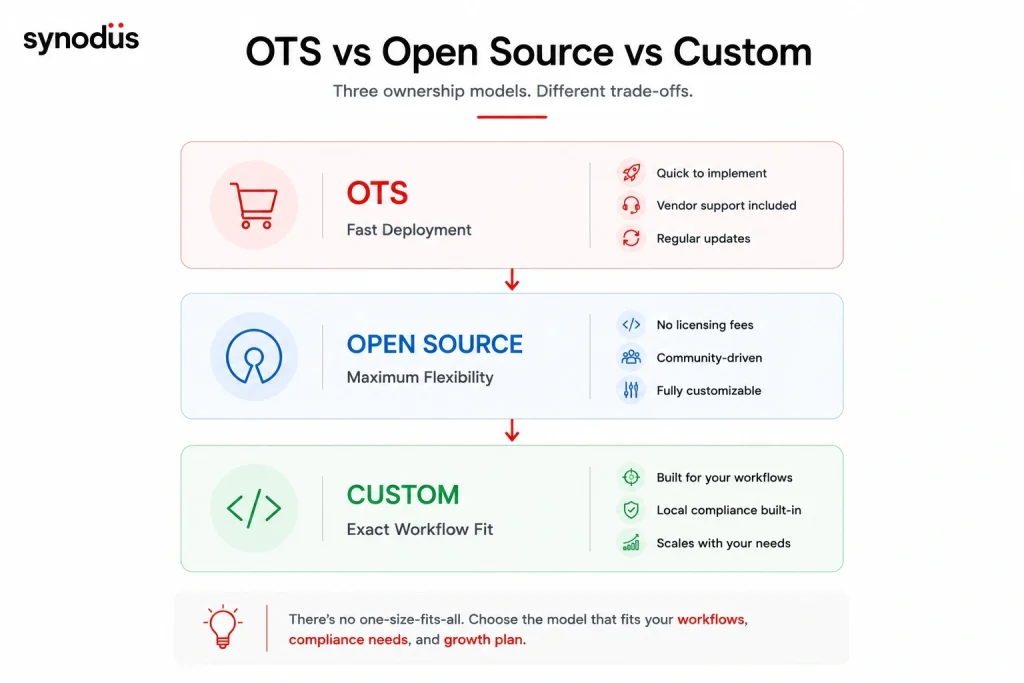
Commercial off-the-shelf (OTS)
Pre-built products sold by vendors, typically on subscription or perpetual license terms. Configured for your practice but not built for it.
Strengths: Fast deployment, vendor-managed updates, dedicated support, tested at scale.
Limitations: Workflows adapt to the software rather than the other way around. Vendor lock-in. Pricing increases at renewal.
Cost range: $200-$1,200 per provider per month for SaaS. Enterprise licensing varies.
Open source
Software with publicly available source code. No licensing fees, but implementation, hosting, training, and maintenance cost apply.
Strengths: No licensing fees, full customization potential, no vendor lock-in, strong community in specific markets.
Limitations: Requires technical expertise to implement and maintain. No guaranteed support SLA.
Best options: OpenEMR, OpenMRS, LibreHealth, GNU Health
For a detailed comparison of free and open source EMR options, see the free EMR software guide.
Custom-built
A system developed specifically for your facility’s workflows, compliance requirements, and integrations. Either built from scratch or on a validated base platform with custom extensions.
Strengths: Exact workflow fit, local compliance built in from the start, no vendor lock-in, long-term flexibility.
Limitations: Higher upfront cost, longer implementation timeline, requires careful vendor selection.
Cost range: $50,000-$300,000+ depending on scope.
When it makes sense: Facilities with complex or non-standard workflows, markets with specific local compliance requirements (PhilHealth, BHYT, PDPA), and organizations scaling across multiple facilities.
Which type of EMR or EHR is right for your facility?
| If you are… | Consider… |
|---|---|
| Solo practitioner or small clinic, standard workflows | Cloud-based OTS (eClinicalWorks, Athenahealth, Tebra) |
| Small clinic, budget very limited | Open source (OpenEMR, LibreHealth) |
| Multi-specialty clinic, US market | Cloud-based OTS with specialty modules |
| Mental health, oncology, ophthalmology practice | Specialty-specific EMR |
| Community health clinic or NGO | OpenMRS, GNU Health, FreeMED |
| Mid-size hospital (100-500 beds) | Hospital-grade OTS (MEDITECH Expanse) |
| Large hospital or health system | Epic or Oracle Health |
| APAC facility with local compliance needs | Custom or hybrid development |
| Rural or low-connectivity setting | Offline-first (HospitalRun, OpenMRS offline) |
| Telehealth-forward practice | Cloud-based with integrated telehealth module |
The decision that matters most: OTS, open source, or custom?
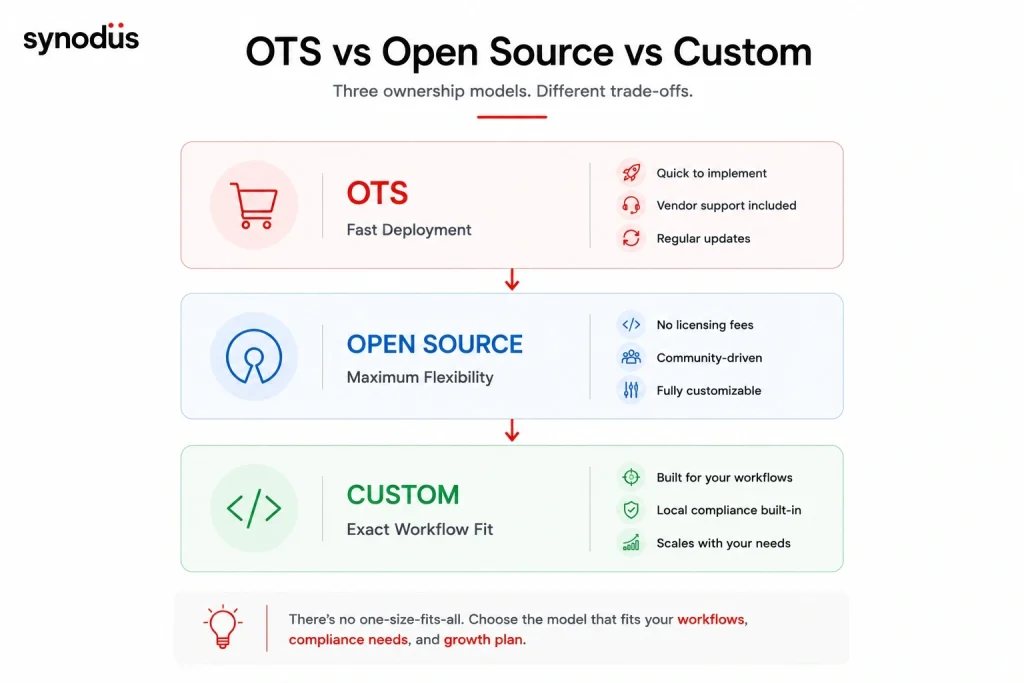
Once you have identified your deployment model and clinical scope, the ownership model decision shapes everything else.
Choose OTS if: Your workflows are standard, your compliance environment is straightforward, and fast deployment matters more than perfect workflow fit.
Choose open source if: Budget is the primary constraint, you have technical capacity for implementation and maintenance, and your patient population’s needs are well-served by existing open source platforms.
Choose custom or hybrid if: Your workflows differ significantly from standard templates, your market has specific compliance requirements that OTS products do not address, or you are scaling across multiple facilities with different configurations.
A useful test: if you say “but we do it differently” more than twice during a vendor demo, you need custom or hybrid – not a different OTS product.
For a detailed comparison of vendors within each type, see the top EMR and EHR companies guide. For a cost breakdown by type, see the EMR cost guide for clinics and the EHR cost guide for larger facilities.
Build a custom EMR/EHR with Synodus

If the decision framework above points toward custom or hybrid development, Synodus is a healthcare software development company with 250+ developers and 30+ implementations across APAC. Their hybrid model starts from a validated EMR base and extends it with custom modules, local compliance layers, and integrations – delivering workflow fit without building from scratch.
Multi-field hospital complex: 700 beds, 2,500 outpatients and 800 staff daily. Custom EMR with cloud-based records, two-layer encryption, e-prescription, document scanning, and full HIS integration. Built in 4 months. Results: 70% efficiency improvement, 90% decrease in incident rates, 3x faster diagnosis, 85% of documents digitalized. Read the full EMR/EHR case study.
Vietnam University Hospital: 5,000 outpatients and 1,700 medical staff daily. Integrated EMR, inventory management, analytics dashboard, and patient mobile app. Results: 300% revenue increase, $70,000/month in administrative cost savings, 0.01% insurance claim denial rate.
BD Hospital: Major provincial general hospital serving 2,000+ outpatients daily. Implemented a web-based EMR on existing infrastructure with zero downtime during a facility transition. Results: zero system downtime, instant patient history access for all clinical staff, significant hardware cost savings.
Projects start within 48 hours of scoping completion
FAQs
EMR and EHR systems can be classified three ways. By deployment: cloud-based, on-premise, hybrid, and offline-first. By clinical scope: general practice, specialty-specific, hospital-grade, community health, and telehealth-integrated. By ownership model: commercial off-the-shelf, open source, and custom-built. Most facilities need to make a decision across all three dimensions before evaluating specific vendors.
Cloud-based EMRs store data on vendor servers, accessed through a browser. Low upfront cost, fast deployment, vendor-managed maintenance. On-premise systems run on your own servers with full data control, no internet dependency, and lower long-term cost – but require IT staff and higher upfront investment. Hybrid systems combine both. For most new clinic deployments, cloud-based is the practical default unless data sovereignty requirements or connectivity issues make on-premise necessary.
For small practices with standard workflows, cloud-based OTS products (eClinicalWorks, Athenahealth, Tebra) offer fast deployment and affordable subscription pricing. For budget-constrained practices with technical capacity, open source options (OpenEMR, LibreHealth) eliminate licensing fees. Specialty-specific EMRs are worth evaluating for single-specialty practices where general EMR configuration would require extensive customization.
For practices with complex specialty workflows, yes. A behavioral health practice implementing a general EMR will spend significant time building treatment plan templates and outcome measurement workflows that a specialty EMR ships with by default. For primary care and general internal medicine, a well-configured general EMR delivers equivalent value at lower cost. The question to ask: how much customization does the general EMR require to match my actual workflows?
Offline-first systems like HospitalRun and OpenMRS with offline module are designed specifically for low or no connectivity environments. They store data locally and sync when internet is available. For most rural or remote settings, these are significantly more practical than cloud-based systems that require continuous connectivity to function.
The type classifications above apply to both EMR and EHR systems – the deployment, scope, and ownership distinctions are the same. The EMR vs EHR distinction is about data sharing scope: EMRs serve a single practice, EHRs enable cross-provider sharing. Most modern systems support both functions regardless of what they are marketed as. For a full breakdown of the difference, see the EMR vs EHR vs PHR guide.