What is BPM?
Business process management, or BPM, is the practice of assessing, improving, and speeding up how a company runs its workflows. A business process is any series of repeated tasks that moves toward a specific goal, and each one falls into one of three categories: operational, managerial, or support. Depending on the process, this can take a few minutes or several weeks to complete.
Because BPM looks at the entire process rather than isolated tasks, it tends to produce fewer errors, lower costs, and more consistent results. It brings together strategy, process mapping, technology, and performance analysis so a company can see its operations at a high level and optimize each stage. The goal is to get every function working toward the same outcome instead of operating in silos.
What is low-code?
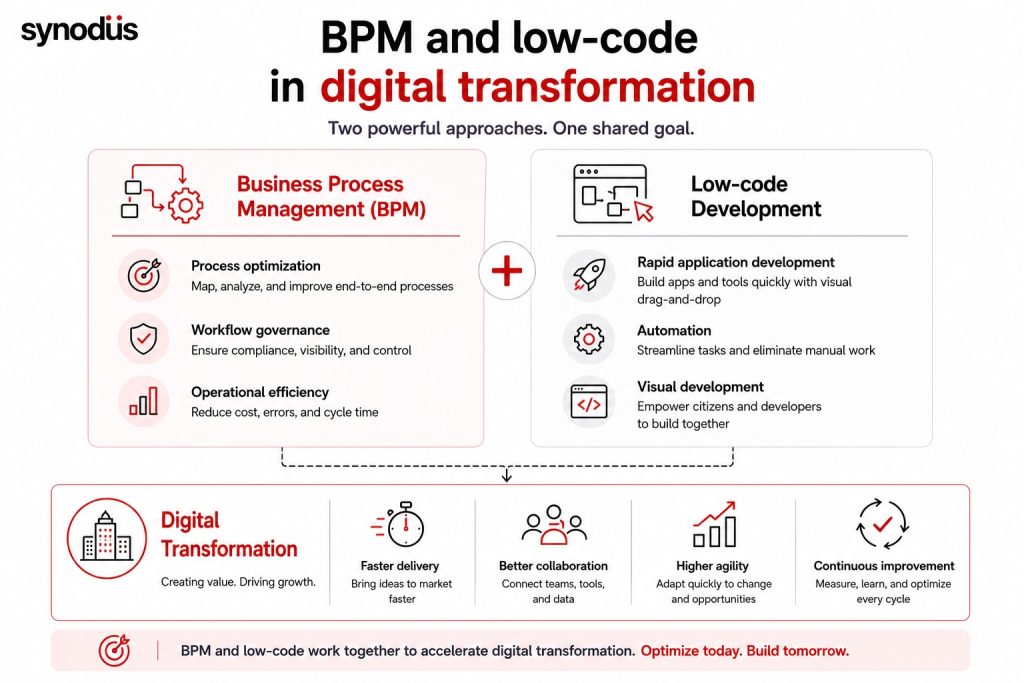
Low-code is a visual approach to building software that relies on little to no hand-written code. Instead of writing long blocks of program logic, developers use drag-and-drop modelers and point-and-click interface builders to assemble applications, websites, and internal tools.
Show Image
This approach cuts down on repetitive manual work through automation and reusable components. It also opens app development up to non-technical staff, often called citizen developers, while still giving experienced engineers room to handle the more complex parts of a build. The result is a shorter development cycle and more output in less time.
BPM vs low-code platform: key differences
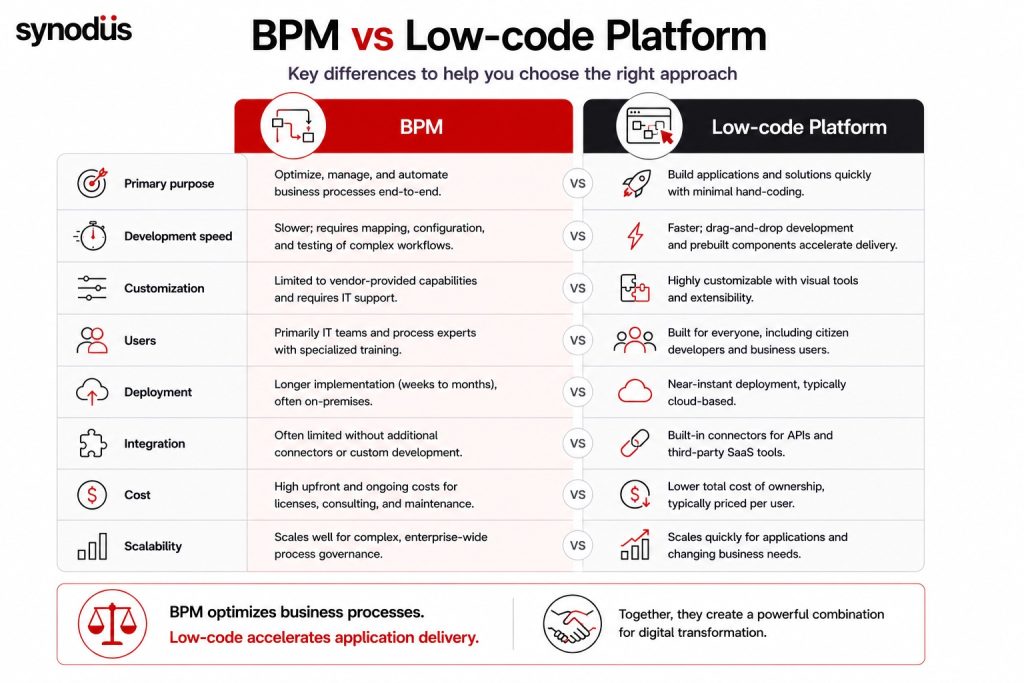
Here is how the two compare across the factors that matter most when choosing a solution.
| Factor | BPM | Low-code platform |
|---|---|---|
| Cost | Enterprise BPM implementations can run from around $10,000 for a basic setup to well over $500,000 for large deployments, before training, consulting, and annual maintenance are added on | Usually priced per user, so teams pay only for the accounts and features they need |
| Setup | Requires configuration by IT, and changes afterward often mean going back through that same process | Drag-and-drop design with editable templates, built for quick setup and redeployment |
| Who builds it | IT support and specialized training are needed for most configuration work | Regular employees and citizen developers can build and adjust apps with minimal coding |
| Integration | Often limited unless the vendor supplies add-ons | Built-in connectors for APIs and third-party SaaS tools |
| Time to deploy | Up to six months, frequently on-site | Near-instant setup, usually cloud-based |
| Primary use | Managing and automating internal operations and processes | Building business applications quickly without a large technical team |
| Core features | Visual process modeling, prebuilt snippets, sandbox environments, third-party integrations | Built-in design tools, configuration options, drag-and-drop UI components, third-party API integrations |
| Who uses it | Anyone involved in the process, from a single department to cross-functional teams | Anyone across the company, technical or not |
| Example platforms | IBM Business Automation, Oracle BPM, Pipefy, Appian, Nintex | Creatio, Microsoft Power Apps, Salesforce Lightning, Mendix, OutSystems |
Challenges with commercial BPM
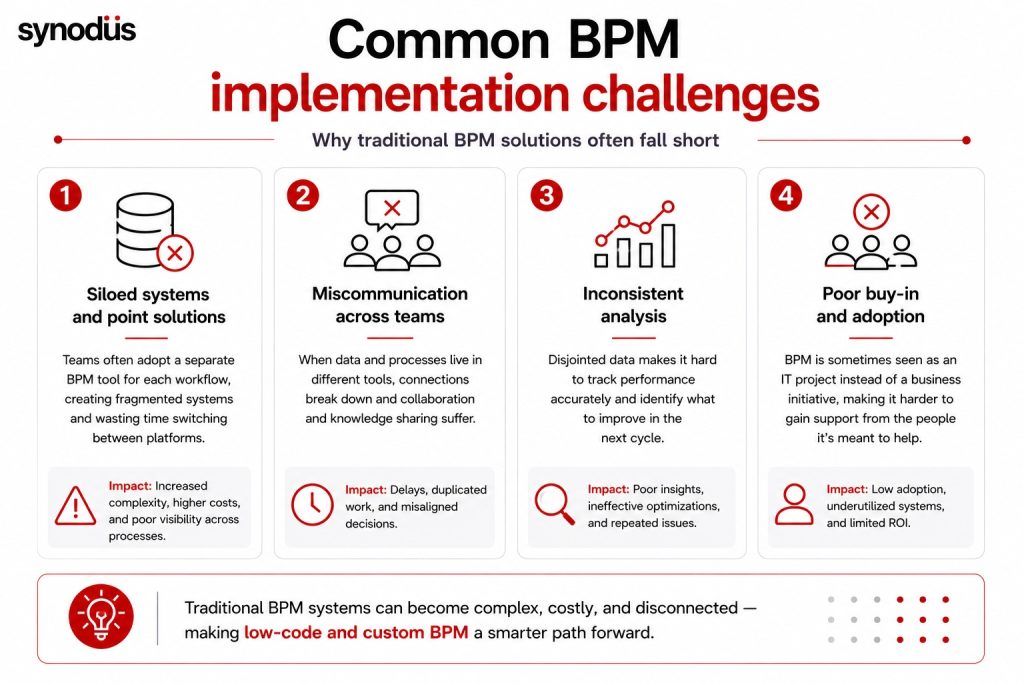
Off-the-shelf BPM software works well for plenty of companies, but it comes with a few recurring downsides that push others toward custom BPM or low-code BPM instead.
- Too many point solutions: teams often adopt a separate BPM tool for each workflow, hoping the gaps will close over time. In practice this creates a disjointed setup and wastes time switching between systems.
- Miscommunication across teams: when data and processes live in different tools, connections between team members break down, and that gap can quietly hurt collaboration and knowledge sharing.
- Inconsistent analysis: disjointed data makes it hard to track performance accurately, which makes it just as hard to know what to fix for the next cycle.
- Poor buy-in: BPM sometimes gets treated as a cure-all, and teams get frustrated once they realize there is no one-size-fits-all setup and customization is still required.
- Slow to adapt: making changes to an established BPM setup usually calls for technical expertise, which slows down any adjustment.
Using low-code to strengthen BPM
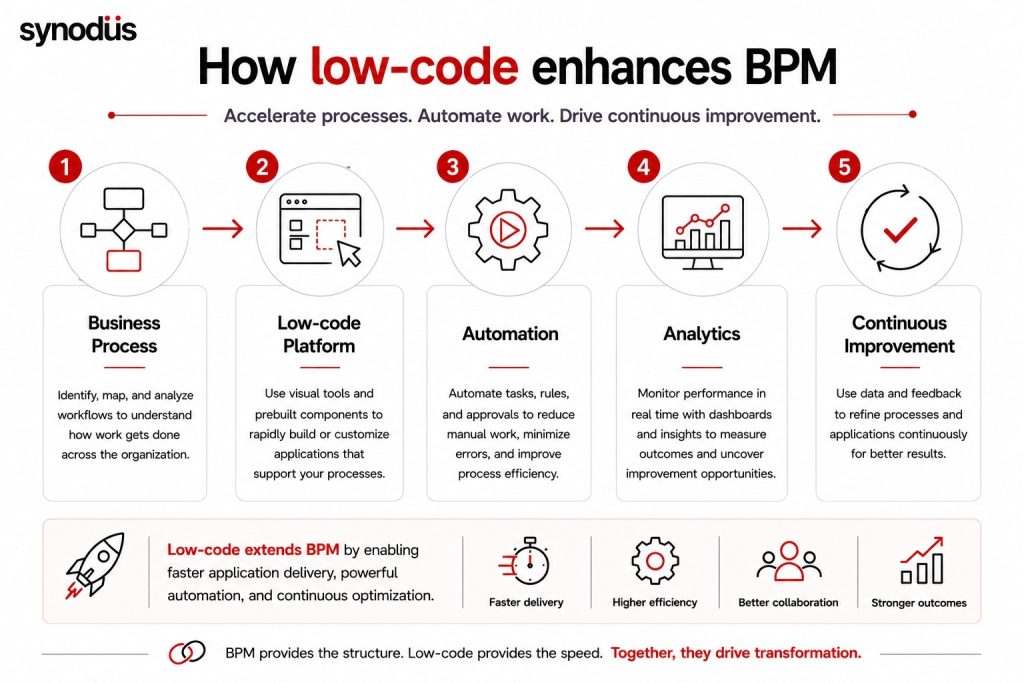
Rather than accepting the downsides of off-the-shelf BPM, or spending months and a large budget building custom BPM from scratch with no guarantee it works well, many companies now pair BPM with a low-code platform instead.
With prebuilt components already in place, teams skip a large share of manual coding and only write custom logic where it is actually needed. That gives a business the flexibility to build whichever type of application the process calls for, while cutting down the time a traditional build would take.
Synodus worked with a Vietnam-based real estate developer on exactly this kind of problem. Using Microsoft Project Online, Power Automate, and Teams, a two-person team delivered a project management application in two months that cut resource planning time by 50 percent and reduced manual data compilation by 40 percent. See the project management case study.
Low-code also brings automation directly into BPM workflows. Some platforms add AI and machine learning features on top, which teams can use for deeper data analysis. BPM and low-code start from different goals, but in practice they complement each other well. Pairing them means every employee can support technical staff when needed, so fewer processes end up stuck waiting on a specialist. Run BPM on its own, and some of the inefficiencies of siloed systems and manual work tend to creep back in.
How low-code and BPM work together
BPM and low-code solve different problems: BPM automates and governs a process, while low-code is a way of building software faster. That difference does not mean low-code only shows up late in the process.
During discovery, when a team identifies what to automate and where the process breaks down, low-code visual modeling tools make it easy to sketch a workflow or build a quick proof of concept. Once development starts, low-code speeds up the build itself, so teams only spend extra time customizing the parts that actually need it.
For measurement and analysis, many low-code tools ship with built-in business intelligence and analytics features, which makes it easier to visualize data, generate reports, and track performance without switching tools. Since everything lives inside the same platform, a BPM setup built this way handles more purposes without forcing a team to manage separate systems.
Synodus has also put together a roundup of the top low-code BPM platforms and how to bring one into your operations, useful if you are evaluating specific vendors next.
Choosing between BPM and low-code
Teams without deep coding skills can still build complex business solutions with low-code tools, including full BPM setups. Layering BPM on top of low-code makes it easier to manage the daily, weekly, and monthly work that keeps a business running, without locking the process into a single rigid system.
Synodus has delivered low-code projects across aviation, real estate, and enterprise operations, combining Microsoft Power Platform expertise with a fixed-cost delivery model. If your team is weighing BPM against low-code development services, book a free consultation to walk through what fits your workflow best.